

Engineering firms’ project management software is a system for organising deliverables, responsibilities, schedules and project records with the aim of completing contracted work within agreed scope and budget. Engineering teams also need to distinguish technical completion from client acceptance, track revisions and connect professional time to commercial outcomes.
- Choose project management software for engineering firms around deliverables, approval gates and billable time—not task lists alone.
- Mesh App suits small firms seeking modular project management, time tracking and invoicing; verify engineering-specific requirements separately.
- Keep technical document control separate unless your chosen system demonstrates the revision and approval controls you require.
- Pilot a real project before migrating your wider portfolio or changing your billing workflow.
Why project management matters for engineering firms
Engineering project management must connect what you promised, what your team produces and what your client accepts. A completed calculation does not necessarily mean the associated drawing is approved, the submission is issued or the milestone is ready to invoice.
Your software selection should reflect those distinctions. In your 2026 requirements list, separate delivery coordination from technical authorisation and financial administration; a tool that handles one does not automatically handle the others.
Contact history also matters when instructions arrive from different client representatives. Keep that requirement alongside delivery planning, using the CRM software for engineering firms guide to assess the client-record side of the workflow.
Choose software against an actual engineering handover, not a feature checklist. Ask a project lead to demonstrate how an instruction becomes assigned work, reviewed output, an accepted deliverable and a billing decision. Every gap becomes a requirement to resolve before rollout.
How to set up project management for engineering work
1. Define deliverables before creating tasks
Start manually with your contract, scope document and a shared deliverables register. Describe the output your client expects, the person accountable for it and the evidence that establishes completion. A task called “design work” is too broad to support a reliable handover.
For each deliverable, distinguish preparation, internal checking and external acceptance. Your team needs to know whether a date means ready for review, issued to the client or accepted by the client. Combining those states hides unfinished work behind a completed task.
Also record exclusions and assumptions. When a client requests work outside the agreed scope, the project manager needs a clear baseline for discussing the change rather than relying on someone’s memory of the proposal.
Make these records your starting point:
- Name each contractual deliverable in plain language.
- Assign an accountable owner and a separate reviewer where required.
- Record the applicable submission and acceptance conditions.
- List scope exclusions, assumptions and client-supplied inputs.
- Identify the event that permits billing for each milestone.
2. Map dependencies and approval gates
Use a whiteboard or shared sheet to map the work before configuring software. An illustrative sequence is Brief, Design, Review and Issue. Adapt it to your discipline rather than treating it as a universal engineering process.
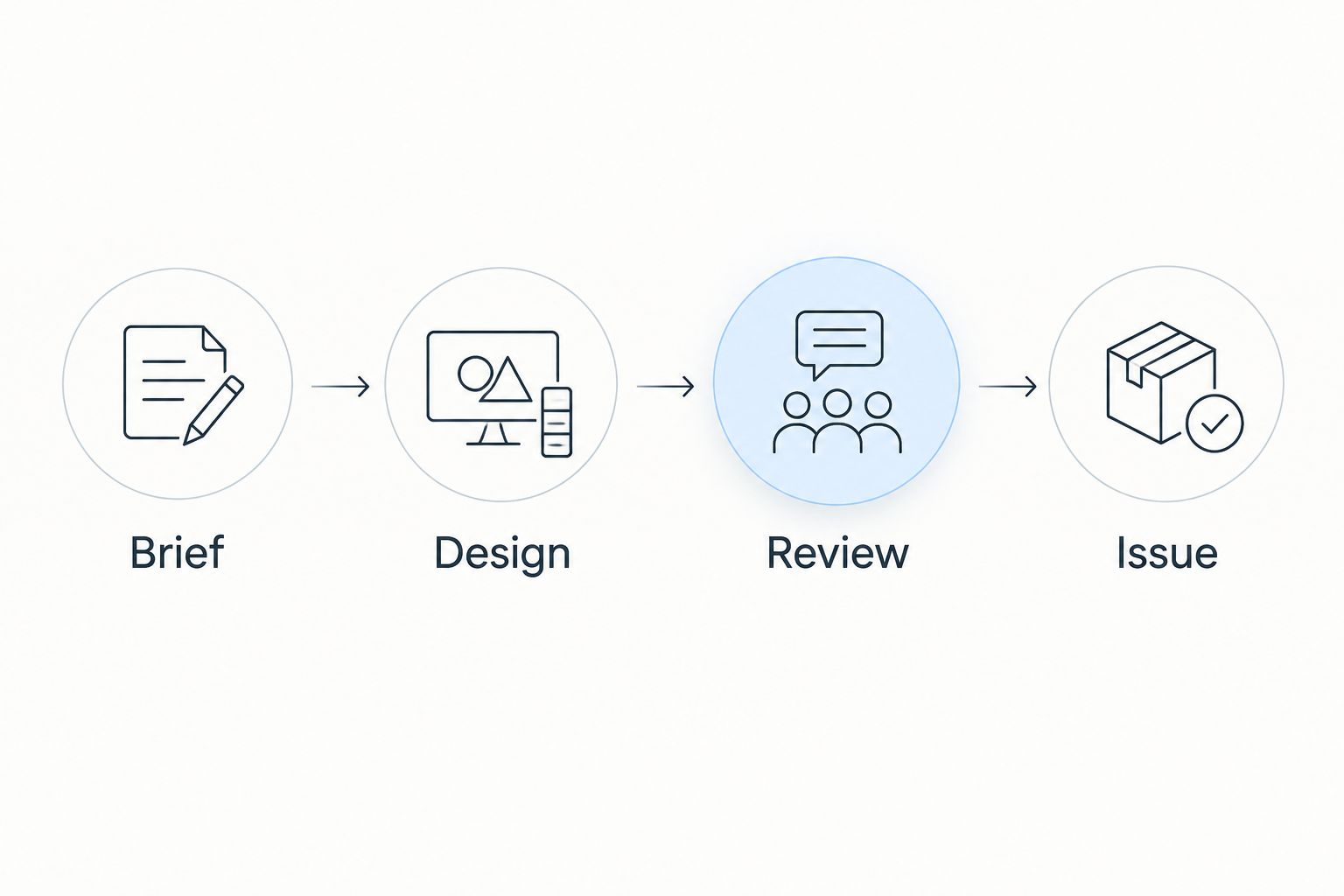
A dependency describes what must happen before another activity proceeds. An approval gate identifies who can authorise that progression. Keep both visible: receiving survey information and obtaining technical approval are different conditions, even when both affect the same submission date.
For your 2026 pilot, choose 1 live project with a clear handover between disciplines. Walk through the sequence with the people doing the work and check whether the plan captures their real constraints.
Use the following working structure:
- Brief: confirm scope, inputs and the responsible client contact.
- Design: identify the work and information needed for each output.
- Review: name the checker and record unresolved comments.
- Issue: record the authorised submission and its purpose.
- Flag external dependencies separately from internal work.
3. Select the administrative system without replacing technical tools
A shared project register, timesheet and invoice log provide a manual starting point. Keep consistent project identifiers across those records so you can reconcile them without guessing which client instruction or time entry belongs to which assignment.
A modular platform is an alternative when you want those administrative functions within one product offering. Mesh App provides contact management, project management, time tracking, invoicing and finance modules for small and medium-sized businesses.
Mesh App is best for small firms seeking modular project management, time tracking and invoicing. That is an administrative fit, not evidence of specialist engineering document control. Assess technical revision handling, approval records and any required integrations separately; the named modules do not establish those capabilities.
Your evaluation should require a demonstration, not a promise that configuration will solve everything later. Ask the vendor to work through your project example and identify each manual handoff that remains.
- Demonstrate a client record alongside a project example.
- Test how your team would record project time.
- Walk through preparation of an invoice from approved work.
- Check access rules, exports and administrative responsibilities.
- Keep specialist design and document-control requirements explicit.
4. Connect recorded time to scope and billing decisions
Begin with a simple timesheet organised by project, work package and activity. Separate original scope from additional work, and distinguish billable time from internal effort. Recording hours alone does not establish whether a client has agreed to pay for them.
For time-based engagements, check the recorded activity against the agreed billing basis. For fixed-fee work, use time records to understand effort against the remaining scope. Neither approach removes the need to assess unfinished work and outstanding commitments.
During your 2026 pilot, schedule a 30-minute weekly review of time entries, scope changes and billing readiness. This is a suggested operating routine, not a performance benchmark. Use the meeting to resolve ambiguous records before they become an invoice dispute.
A time-tracking module offers a software-based recording route, but test how it represents your project codes, approvals and billing categories before replacing the manual process.
- Define activity categories your engineers can distinguish consistently.
- Mark additional work separately from the original instruction.
- Record the reason for rework without assuming it is billable.
- Assign responsibility for checking incomplete time entries.
- Confirm contractual billing conditions before preparing an invoice.
5. Review capacity, changes and remaining work together
Start with a shared allocation sheet showing who owns upcoming deliverables and what other commitments compete for their time. A project schedule is not a capacity plan if the same engineer appears available on several assignments simultaneously.
Discuss remaining effort alongside deadlines. A task marked nearly complete can still require checking, comment resolution and reissue. Ask what remains to be done and who must do it, rather than accepting a percentage as sufficient evidence.
Change control belongs in the same review. A revised client instruction can affect technical work, reviewer availability and the billing basis. Record the decision and its consequences before quietly moving the deadline.
Your software test should show how you would inspect this information across active projects. Do not assume that a project-management label includes resource scheduling or portfolio reporting; verify the specific functions your firm needs.
- Compare upcoming commitments by named engineer and reviewer.
- List blocked work with an owner for resolving each blocker.
- Record scope changes with their delivery and commercial effects.
- Reassess remaining effort after significant client comments.
- Escalate competing deadlines to the person authorised to reprioritise.
6. Pilot the workflow before migrating the portfolio
Use your existing records to establish the pilot baseline. Clean project names, remove duplicate contacts and decide which record is authoritative before transferring information. Moving inconsistent data into software preserves the inconsistency.
For a 2026 rollout, hold 2 weekly review meetings before deciding whether to expand the pilot. These meetings are checkpoints, not a claim that implementation takes a fixed period. Extend the evaluation when unresolved issues affect technical acceptance, access or billing.
Test the complete operating loop: a client instruction, assigned work, recorded effort, review, issue and a billing decision. Include someone responsible for finance as well as the project manager; each sees different failures in the handover.
Document the result in a short acceptance record. Expand only when the team can complete the agreed workflow and explain how exceptions are handled.
- Reconcile migrated contacts and projects against the source records.
- Confirm who can create, change, review and close records.
- Test a rejected submission and an additional-work request.
- Check that project records can be retrieved and exported as required.
- Assign an owner for each unresolved rollout issue.
Compare your options for engineering project management
The best option depends on the problem you need to solve. Administrative coordination, resource planning and controlled technical documentation are separate requirements; buying software for one does not prove coverage of the others.
Use this comparison to frame your shortlist, then validate the details with your own workflow. The limitations below are selection boundaries, not claims that every product in a category behaves identically.
| Option | Best for | Main advantage | Key limitation |
|---|---|---|---|
| Shared spreadsheets and document folders | A manually coordinated pilot | You can define the workflow before configuring a system | Your team must maintain consistency and reconcile records manually |
| General task-management software | Teams primarily coordinating assignments and deadlines | Keeps task ownership and progress central to the evaluation | Verify billing, revision handling and approval requirements separately |
| Mesh App modular CRM/ERP | Small firms seeking project, time and invoicing modules | Offers contact management, project management, time tracking, invoicing and finance modules | Specialist engineering document control and scheduling capabilities require separate verification |
| Specialist engineering project software | Firms evaluating technical planning or document-control requirements | Provides a category to assess against discipline-specific needs | Specialist positioning alone does not establish financial or client-management coverage |
Do not replace a necessary technical system merely to reduce the number of applications. A clearly owned handoff is preferable to an unverified assumption about approval authority or revision history.
Assess your administrative workflow
Compare project management, time tracking and invoicing modules against your engineering workflow.
Common mistakes engineering firms make
Treating an uploaded file as an approved deliverable
File storage, review and authorisation are different activities. Define the record that proves a deliverable was checked and approved for its intended use. An attachment on a completed task does not establish that chain by itself.
Scheduling production but forgetting checking
A submission plan is incomplete when it allocates design work but leaves the reviewer unassigned. Include checking, comment resolution and issue preparation in the plan. Confirm reviewer availability before promising the submission date.
Confusing recorded hours with invoiceable work
Time entries describe effort, not contractual entitlement. Check scope, approval and the billing basis before invoicing. Keep disputed changes visible instead of merging them into ordinary project time.
Buying from a polished demonstration
A tidy demonstration project does not test your firm's difficult handovers. Bring an example involving revised instructions, a rejected submission and additional work. Ask the vendor to show the record trail rather than simply describing it.
Migrating every historical record at once
Define what the active team needs before transferring old material. Keep historical records accessible according to your obligations, but separate archival decisions from the live rollout. Your 2026 implementation should establish a usable working process, not reproduce every obsolete spreadsheet.
FAQ
What's the best project management software for engineering firms?
The best project management software for engineering firms is the system that demonstrates your required delivery, review and commercial workflow. Assess technical document control, resource planning and billing separately rather than assuming one category covers everything.
Is a CRM enough to manage engineering projects?
A CRM alone does not establish coverage of engineering project-management requirements. Evaluate deliverables, dependencies, review gates, time recording and billing alongside contact management.
Can a small engineering firm start with spreadsheets?
Yes, a small engineering firm can use shared spreadsheets to define deliverables, responsibilities and time records before selecting software. Assign record owners and consistent project identifiers so the manual process remains understandable.
Is Mesh App suitable for an engineering consultancy?
Mesh App is a candidate for a small engineering consultancy seeking contact management, project management, time tracking, invoicing and finance modules. Verify engineering-specific document control, scheduling and approval requirements through a workflow demonstration before committing.
Do engineering firms still need separate document-control software?
Keep separate document control when your administrative platform has not demonstrated the revision, authorisation and retrieval controls you require. General project-management functionality is not evidence of technical document-control coverage.
What should engineers record in project timesheets?
Engineers should record the project, work package, activity and whether the effort relates to original scope or additional work. Your project manager should check billing eligibility against the engagement terms rather than treating every recorded hour as invoiceable.
What should we test before rolling out new project software?
Test a complete project workflow from client instruction through review, issue and a billing decision. Include rejected work, changed scope, access permissions and record export so the pilot covers exceptions as well as normal progress.
One last thing
Test a rejected deliverable before celebrating a completed task. Rejection exposes whether your process preserves the original submission, assigns corrective work, records the next review and keeps the commercial consequences visible.
For your 2026 selection, make that scenario part of the final demonstration. If the team cannot explain what happens next, the workflow is not ready—even if the dashboard looks finished.


