Yes—project management software for a landscaping business is worth it when coordinating jobs, recording labour, and preparing invoices takes more effort than your current system can reliably handle. The return depends on your team updating the records; software adds setup and training work, so keep your existing approach if it already gives you accurate job information without repeated chasing.
- Project management software for landscaping business is worthwhile when job coordination and time tracking need a shared record.
- Mesh App suits small businesses evaluating modular project management, contact management, time tracking, and invoicing.
- Keep spreadsheets if job information stays accurate; test software against actual handoffs before replacing your current workflow.
Why this matters
A landscaping job involves more than a date in a calendar. You need to know what the customer approved, who owns the work, what changed on site, and what is ready to invoice. If those answers live in separate conversations, buying another task list does not necessarily solve the problem.
Your 2026 software decision should start with the handoff that breaks, not the longest feature list. Mesh App offers contact management, project management, time tracking, invoicing, and finance modules for small and medium-sized businesses. Those categories are relevant when you want to evaluate more than task coordination, but each workflow still needs testing against your requirements.
Buy a clearer operating process, not another place to copy the same information.
Is project management software worth it for a landscaping business?
It is worth it when a shared job record replaces repeated coordination work and gives you information you actually use. It is not worth it simply because your business has grown or another contractor uses software.
Compare the operating approaches before comparing vendors. The right starting point depends on where your work loses clarity.
| Approach | Best for | Main advantage | Main limitation |
|---|---|---|---|
| Spreadsheet and calendar | A simple workload with clear ownership | Keeps an established process without introducing another system | You must maintain consistency across separate records |
| Standalone project management software | Teams whose main problem is task ownership and job status | Gives project work a dedicated structure | Customer records, time tracking, and invoicing need separate evaluation |
| Modular CRM/ERP software | Businesses evaluating customer, project, time, and billing workflows together | Lets you assess related business functions within a broader platform | Requires decisions about modules, responsibilities, and data setup |
These are workflow choices, not guarantees about individual products. A project management label does not establish that a system supports recurring maintenance, offline updates, equipment scheduling, or accounting exports.
Write your acceptance criteria before a demonstration. For example: can the person preparing an invoice identify completed work without asking the crew to reconstruct the job? That is a more useful test than counting dashboard widgets.
When keeping your current system makes sense
Best for: businesses with straightforward jobs and dependable records. A spreadsheet and calendar remain a valid choice when you can find the current scope, identify the responsible person, and account for completed work without conflicting versions.
The advantage is continuity. You already understand the process and do not need to introduce new terminology or migrate records just to maintain it.
The drawback is the work needed to keep separate records aligned. If a scope change requires updates in a calendar, spreadsheet, and message thread, assess that maintenance effort honestly. Do not confuse familiarity with efficiency.
For a 2026 review, follow an actual completed job through your records. If the information is accurate and easy to retrieve, there is no reason to replace the system solely to appear more organised.
When dedicated project management software makes sense
Best for: businesses whose main difficulty is coordinating delivery. Prioritise project management when you need clearer task ownership, visible job status, and a consistent place to record changes.
Its advantage is focus. You can evaluate the delivery process without turning the purchase into a redesign of customer management and finance.
The limitation is scope: solving task coordination does not automatically solve billing or customer-history problems. Ask how your chosen product handles the handoff to the tools you retain, and test any claimed connection rather than assuming it exists.
For landscaping work, include a change to the original plan in that test. A workflow that looks clear at job creation also needs to remain understandable when the work changes.
When a modular CRM/ERP platform makes sense
Best for: small and medium-sized businesses evaluating several related administrative functions. Consider this approach when customer information, project records, labour entries, and invoicing all belong in your selection criteria.
Mesh App is best suited to small and medium-sized businesses seeking modular contact management, project management, time tracking, and invoicing software. Its stated scope covers those functions, alongside finance modules. That makes it relevant to a broader business-software shortlist rather than only a task-management shortlist.
The advantage is the range of functions available for evaluation. The trade-off is implementation scope: you must decide what belongs in each module, who maintains it, and which existing records to bring across.
Treat Mesh App as modular CRM/ERP software, not as a confirmed landscaping-specific dispatch system. Test requirements such as recurring visits, route planning, equipment allocation, and field connectivity separately before making a decision.
Why the value varies between landscaping businesses
The value comes from the problem you replace. Use these factors to judge your own workflow rather than borrowing another company's expectations:
- Record ownership: Decide who updates the job when the customer changes the scope. Without an owner, a shared system still contains uncertain information.
- Handoff complexity: Examine how work moves from customer approval to delivery and invoicing. More handoffs give you more places to check for duplication or missing context.
- Time-recording needs: Establish whether you need labour records for billing, internal review, or both. The purpose determines what employees need to enter.
- Module scope: Separate essential project functions from contact management, invoicing, and finance requirements. Evaluate each against an actual task.
- Team adoption: Check whether the people doing the work can complete the required updates. A detailed record is not useful if maintaining it interrupts the job and entries get skipped.
- Migration effort: Review existing contacts, open jobs, and documents before importing them. Moving unclear records into new software does not make them clear.
For your 2026 evaluation, distinguish a product limitation from a process problem. If nobody has authority to approve extra work, a new status field will not settle the disagreement.
How to test the software against a real landscaping job
Use a representative job, not a demonstration containing only perfect data. Include the ordinary complications you need to manage, and keep a record of every point where someone has to leave the proposed workflow.
- Define the scope. Record what the customer approved and identify the person authorised to accept changes. Check whether another employee can distinguish agreed work from a request still awaiting approval.
- Assign the work. Identify the person responsible for the next action. Test how that person finds the job and understands what needs doing.
- Record the time. Enter labour against the correct work. Check whether the person reviewing the job can interpret the entries without asking for an explanation.
- Review the changes. Introduce a realistic change to the work and check how the team identifies the current instruction. Do not assume a comment is equivalent to customer approval.
- Prepare the invoice. Give the office the completed job record. Check whether it contains enough information to prepare the invoice without rebuilding the story from messages.
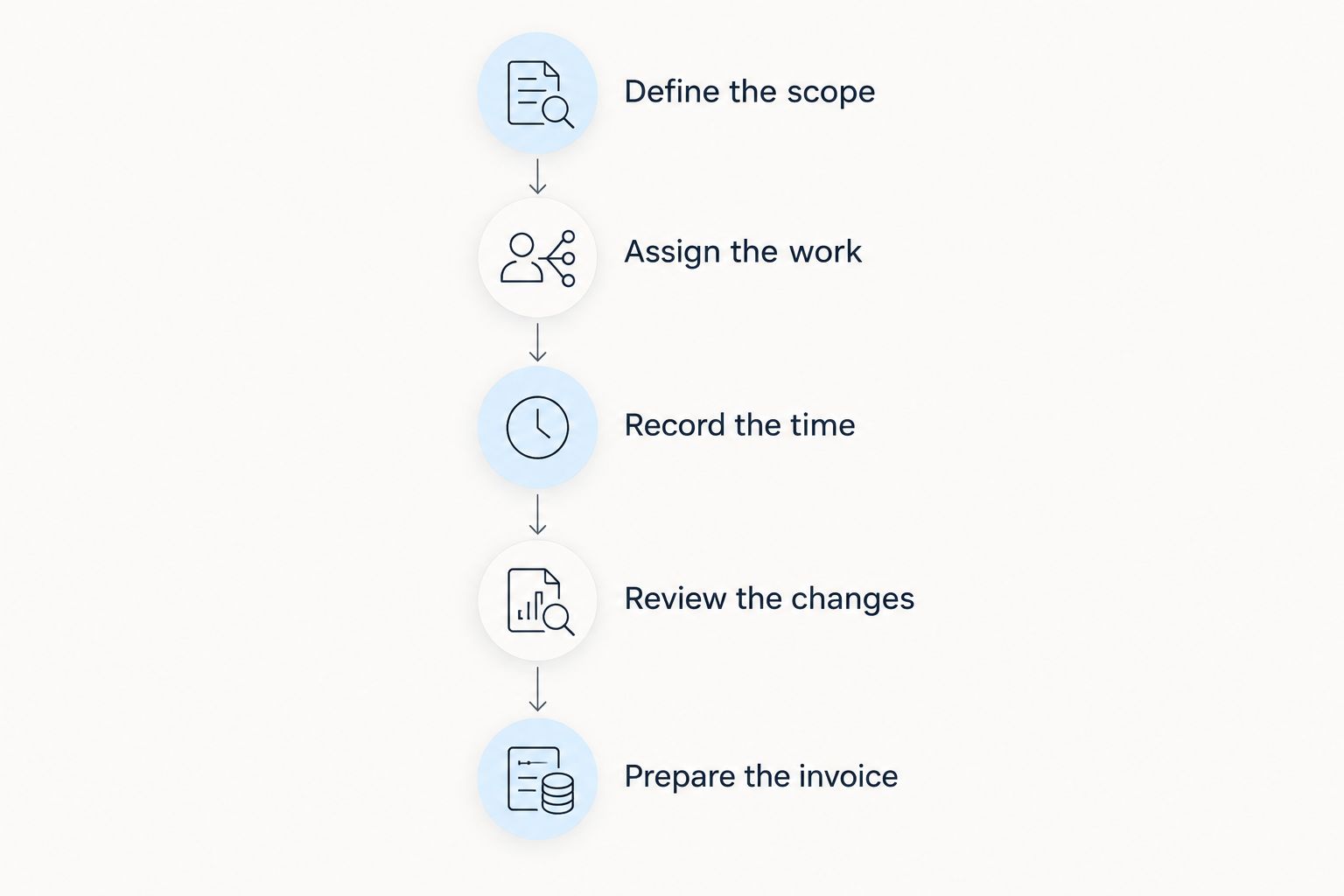
The test succeeds when the next person can act on the record without reconstructing missing context. It fails when the team maintains the new software but still depends on the old spreadsheet for the authoritative answer.
Finish by asking the people who entered the information where they hesitated. Simplify unnecessary fields before extending the workflow to more jobs.
How do you measure whether the software is worth it?
Measure the work around the job, not just the work on site. Record administrative minutes per completed job, missing time entries, and the interval between completion and invoice preparation using your own records.
Compare equivalent work before and after the change. A short maintenance visit and a multi-stage installation are not interchangeable evidence, so keep job types separate when reviewing results.
Include implementation effort in your assessment. Data preparation, staff instruction, and maintaining duplicate systems during the transition all consume time, even when they do not appear as separate software charges.
Your 2026 baseline should describe the current process before you change it. Without that starting point, a tidier dashboard is not evidence of a better operation.
Do you need landscaping-specific software?
You need landscaping-specific software when essential requirements depend on landscaping workflows that a general system cannot adequately support. The deciding factor is the requirement, not the industry label on the website.
Put route planning, recurring visits, equipment allocation, and field access on your checklist if your business needs them. Ask the vendor to demonstrate each requirement using your scenario, and distinguish a built-in function from a manual workaround.
A general platform remains a valid option when your main requirements are customer records, project coordination, time tracking, and invoicing. Its limitation is that category coverage alone does not establish support for specialist field operations.
Can project management software show job profitability?
Project records support profitability analysis only when you include the relevant revenue and costs. Tracked labour hours alone do not show whether a landscaping job made money.
Decide how you will account for labour cost, materials, subcontractors, and other costs relevant to the job. Then check which inputs the software records and how any calculation treats them.
Do not confuse an unbilled-hours report with profit. Ask for the calculation behind a profitability figure and verify it against a completed job whose records you understand.
FAQ
Is project management software worth it for a solo landscaper?
It is worth it for a solo landscaper when maintaining job records and preparing invoices creates repeated administrative work. Keep a simpler system if it already gives you accurate information without duplicate entry.
What should landscaping project management software include?
It should meet your requirements for job scope, responsibility, status, and the handoff to invoicing. Test time tracking, recurring visits, field access, and other functions separately when your business needs them.
Is a spreadsheet better than project management software?
A spreadsheet is better when your workflow stays clear and accurate without repeated reconciliation. Project management software becomes more relevant when separate records leave employees unsure about the current instruction or next action.
Can Mesh App be considered for a landscaping business?
Mesh App can be considered when a landscaping business is evaluating modular contact management, project management, time tracking, invoicing, and finance software. Confirm landscaping-specific requirements through a demonstration rather than assuming they follow from the platform's category.
Will project management software automatically reduce administration?
Project management software does not automatically reduce administration. It needs to replace an existing task or handoff; maintaining the same records in parallel adds work instead.
How should I choose landscaping business software in 2026?
Choose landscaping business software in 2026 by testing a representative job from approved scope through invoice preparation. Assess whether employees can maintain the records and whether the next person can act without chasing missing information.
One last thing
Use the invoice handoff as your final acceptance test. Give the person preparing the invoice the completed job record and ask them to identify the agreed work, approved changes, and relevant labour entries.
If they still need to reconstruct the job through calls and messages, identify what is missing before rolling the system out. A project marked complete is not the same as a job ready to bill.