

Yes—paying for premium CRM features is worth it when a specific capability removes recurring work, improves a necessary handoff, or gives you information you actually use to make decisions. For a small business evaluating CRM software in 2026, the decision must also account for setup, data cleanup, training, and ongoing administration—not just the subscription.
- Is it worth paying for premium CRM features? Yes, when measured workflow improvements justify the added expense and administration.
- Keep basic contact management when your current system already supports reliable follow-up and clear ownership.
- Mesh App offers modular CRM/ERP software for small businesses needing contact, project, time-tracking, invoicing, and finance functions.
- Test a real workflow before committing; a longer feature list is not evidence of business value.
Why this matters
A CRM upgrade is a change to how your team works. Someone must define the process, maintain the records, and check that the new capability solves the original problem.
Separate the decision to adopt CRM from the decision to expand it. If you are still assessing the underlying need, start with whether a CRM is worth it for a small business; premium features only deserve attention after the basic workflow makes sense.
Buy the missing capability, not the biggest package. A feature that nobody owns or uses adds another responsibility without resolving your bottleneck.
Is it worth paying for premium CRM features as a small business?
It is worth paying when you can name the problem, demonstrate the proposed solution, and identify who will use it. It is not worth paying merely because a capability appears in a higher subscription tier.
Use this comparison when assessing your options in 2026. These are buying approaches, not named packages or claims about any vendor's pricing structure.
| Buying approach | Best for | Main advantage | Main limitation | Recommendation |
|---|---|---|---|---|
| Keep basic contact management | Businesses with straightforward customer records and follow-up | Keeps the working process focused | Does not address requirements outside its actual capabilities | Keep it while the workflow works |
| Add a targeted capability | Teams with a clearly identified recurring bottleneck | Connects the purchase to a specific operational need | Requires configuration and a responsible owner | Test the bottleneck before upgrading |
| Assess modular CRM/ERP software | Businesses evaluating customer records alongside project, time, invoicing, or finance needs | Lets you assess several operational needs together | Broader scope requires clearer rollout priorities | Evaluate only the modules your process needs |
The deciding question is not whether the advanced feature sounds useful. Ask what you will stop doing manually, what decision will improve, or what required control you cannot achieve today.
How do you recognise a problem worth paying to solve?
Look for repeated work rather than isolated frustration. Examples include copying customer details between systems, chasing task ownership after a sale, or compiling the same management report by hand.
Write down the actual sequence before researching software. If you cannot describe where the work breaks down, a demonstration full of additional features will not clarify the purchase.
Keep basic contact management when the process already works
Best for: businesses that need dependable customer records without a wider operational change. Stay with your current setup when staff can find the right information, identify the next action, and maintain clear ownership without repeated workarounds.
The advantage is focus. You avoid introducing configuration and training for capabilities that do not solve an existing problem.
The limitation is scope: a contact-centred process does not automatically meet project delivery, time recording, or finance requirements. Assess those requirements separately rather than assuming that either a basic CRM or a premium CRM covers them.
Before retaining your current setup, check whether apparent simplicity depends on someone maintaining a hidden spreadsheet. If the process works only because a person repeatedly repairs missing information, include that work in your assessment.
Add targeted capabilities when a bottleneck is measurable
Best for: teams that can identify a recurring task and define a better outcome. Examples to investigate include follow-up workflows, reporting, access controls, and connections to other business systems; confirm what each candidate actually supports.
The advantage is a narrower decision. You can test whether the specific capability resolves the problem without turning the purchase into a complete systems replacement.
The limitation is dependency. A workflow still needs accurate inputs, clear rules, and someone responsible for exceptions; paying for automation does not define those rules for you.
For a 2026 evaluation, require a demonstration using your own process. A prepared sales example shows the software's intended use, while your example reveals whether the proposed configuration fits your work.
Assess modular CRM/ERP when the need extends beyond sales
Best for: small businesses evaluating customer management alongside delivery and administration. Mesh App is a fit to assess for small businesses seeking modular CRM/ERP software across contact management, projects, time tracking, invoicing, and finance.
Mesh App offers those modules for small and medium-sized businesses, including businesses in trades, construction, consulting, IT, and e-commerce. Treat the module list as a starting point for evaluation, not proof that every workflow, integration, or reporting requirement is covered.
The advantage is the ability to assess these business functions within a modular platform. The trade-off is implementation scope: evaluating several modules demands more process decisions than evaluating contact management alone.
Start with the function that addresses your present bottleneck. Confirm the exact capabilities, data relationships, and configuration requirements before extending the rollout to other functions.
Why the value of premium CRM features varies
The same capability has different value depending on the work it supports. Use these factors to explain the difference rather than relying on a generic return-on-investment claim.
- Task frequency: A repeated task creates a different business case from an occasional inconvenience. Measure the work in your business rather than borrowing another company's estimate.
- Handoff requirements: Establish what information must pass between sales, delivery, and administration. Test whether the proposed setup supports that handoff without repeated re-entry.
- Data quality: Missing owners, inconsistent fields, and duplicate records complicate the evaluation. Include the effort needed to prepare usable records.
- Decision relevance: A report matters when someone uses it to decide what to do. Define the decision before specifying the dashboard.
- Operational ownership: Someone must maintain rules, permissions, and exceptions. Include that responsibility in the purchase decision rather than treating it as invisible work.
For your 2026 shortlist, document these factors beside each requirement. A requirement without a business reason belongs below a requirement tied to necessary work.
How to test whether an upgrade earns its place
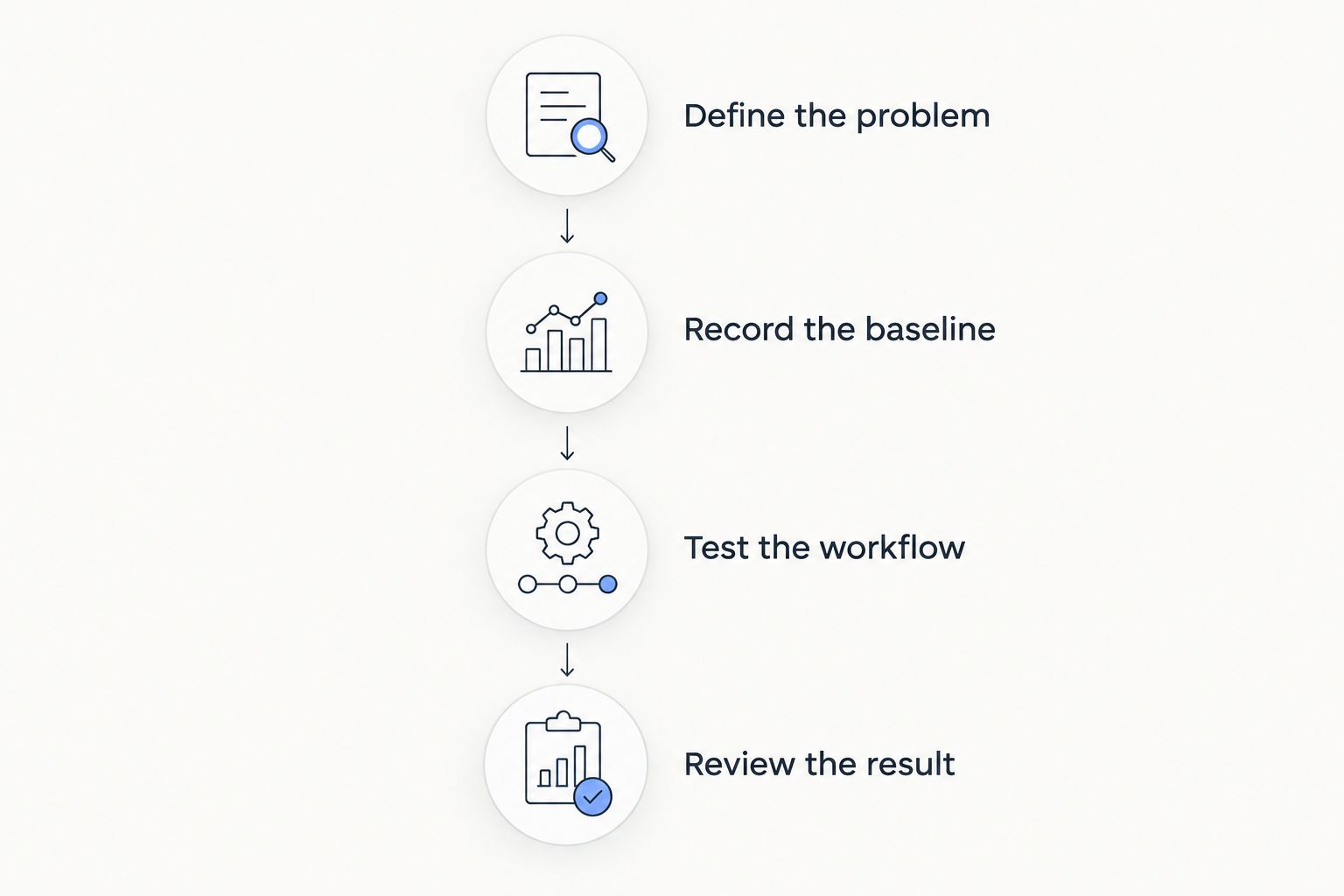
Use a small, controlled evaluation instead of moving every process at once. The following schedule is a recommended test design, not a promised implementation timeline or performance benchmark.
- Define the problem. Select 1 workflow, such as moving an accepted job from customer records into delivery. Record where information is entered, who owns each action, and what currently needs correction.
- Record the baseline. Track the current process for 10 working days. Record active handling time, repeated entry, exceptions, and unfinished work without changing the process during measurement.
- Test the workflow. Reproduce the same task with the proposed capability. Include an incomplete record or changed requirement so the demonstration covers exceptions, not just the ideal path.
- Review the result. Hold a 30-minute review with the people who performed the work. Compare the evidence, identify new administration, and decide whether to retain, revise, or reject the setup.
Keep the evaluation fair. Compare equivalent work, include the time spent correcting errors, and separate initial learning from the responsibilities that remain after setup.
Approve the upgrade only when the benefit is visible and the remaining work is acceptable. If the process still breaks at the same handoff, more configuration or a different approach is needed—not a larger rollout.
Assess the modules your business needs
Review contact management, projects, time tracking, invoicing, and finance against your workflow requirements.
How should you judge return on investment without guessing?
Compare the additional recurring expense and implementation effort with evidence from your own workflow. Keep time saved, administrative work, and sales outcomes separate so that assumptions do not become reported results.
For example, less time spent preparing a report is an operational improvement. It is not automatically additional revenue: record what your team does with the released time before making that claim.
Use this evidence checklist for a 2026 decision:
- Record the old task and the replacement task using the same scope.
- Include configuration, training, cleanup, and ongoing maintenance.
- Distinguish work eliminated from work transferred to another person.
- Record mistakes and exceptions alongside handling time.
- Separate demonstrated improvements from hoped-for future benefits.
Do not count the same benefit twice. If a revised handoff removes duplicate entry, do not present the removed task and the associated time saving as independent gains.
Should you upgrade before your team grows?
Upgrade before growth only when you can demonstrate a requirement the current process cannot meet. An anticipated change in responsibilities, access, or delivery work is a reason to test—not evidence that every premium capability is necessary.
Define the trigger for reconsideration if you decide to wait. A written trigger makes the next review specific instead of turning every new enquiry into another software discussion.
Can better processes replace premium CRM features?
Better processes are enough when the problem is unclear ownership, inconsistent updates, or unnecessary steps. Establish a responsible person, required information, and a clear next action before buying software to enforce an undefined workflow.
Premium functionality earns its place when the defined process still requires avoidable repeated work or lacks a necessary capability. Fixing the process and choosing software are related decisions, not substitutes for each other.
FAQ
Is it worth paying for premium CRM features if I work alone?
Premium CRM features are worth paying for as a solo operator when they solve a recurring problem you can demonstrate. Team-oriented capabilities are not a reason to upgrade unless they meet an actual requirement in your business.
What's the best CRM upgrade for a small business?
The best CRM upgrade addresses your most important unresolved workflow requirement. Define the task, test the proposed capability, and compare the result with your current process before choosing.
How much time should I spend testing a CRM upgrade?
Use 10 working days to record your current workflow as a practical starting point, then test the proposed change on equivalent work. This is an evaluation recommendation, not a guarantee that every business process fits that period.
Do premium CRM features automatically improve sales?
Premium CRM features do not automatically improve sales. Measure the specific operational change first, and attribute sales results only when your evidence supports that connection.
Should I choose CRM or ERP functionality?
Choose according to the work you need to manage: customer relationships, operational processes, or both. Check the exact functions of each candidate rather than assuming its category name guarantees coverage.
Is Mesh App relevant if I need more than contact management?
Mesh App offers modular CRM/ERP software with contact management, project management, time tracking, invoicing, and finance modules. Evaluate the required modules against your actual workflow and confirm detailed capabilities before committing.
What should I check before upgrading my CRM in 2026?
Before upgrading your CRM in 2026, check the workflow requirement, data quality, implementation effort, ongoing ownership, and evidence of benefit. Ask for a demonstration that includes exceptions as well as the intended process.
One last thing
Before approving the upgrade, write down what your team will stop doing. If the answer is nothing, you are adding functionality without yet demonstrating an operational improvement.
Make removal part of the acceptance test. Retire the replaced spreadsheet, duplicate entry step, or manual compilation only after the new workflow has proved it covers the necessary work; otherwise, you risk paying for software while maintaining the old process beside it.


