

Automated invoicing saves the monthly working time you remove from invoice preparation, checking, sending and follow-up, minus the time you still spend managing the automated process. Calculate that difference from your own records; setup, corrections and exception handling belong in the calculation, not outside it.
- How much time does automated invoicing save per month? Measure manual work minus automated work, including exceptions.
- Mesh App suits SMEs evaluating contact management, project management, time tracking, invoicing and finance together.
- Count invoice preparation, approval, payment reminders and accounting handover without counting the same task twice.
- Keep implementation time separate from recurring monthly savings, but include it when assessing the first month.
Why this matters
A faster invoice editor is not the same as a faster billing process. If you still search for approved hours, correct customer details and re-enter information for accounting, those tasks remain part of your workload.
For your 2026 assessment, measure the whole process rather than the final document alone. Mesh App offers contact management, project management, time tracking, invoicing and finance modules; assess which parts of your workflow you need before evaluating individual features.
Keep invoicing efficiency separate from broader administrative improvements. The guide to reducing admin time in a small trades business covers that wider scope; this calculation should stay focused on billing work.
How much time does automated invoicing save per month?
Monthly time saved equals manual billing time minus automated billing time for comparable work. Measure labour time, not the elapsed time between completing a job and receiving payment.
Use minutes for the underlying records. Divide the monthly difference by 60 minutes per hour to express the result in hours saved per month.
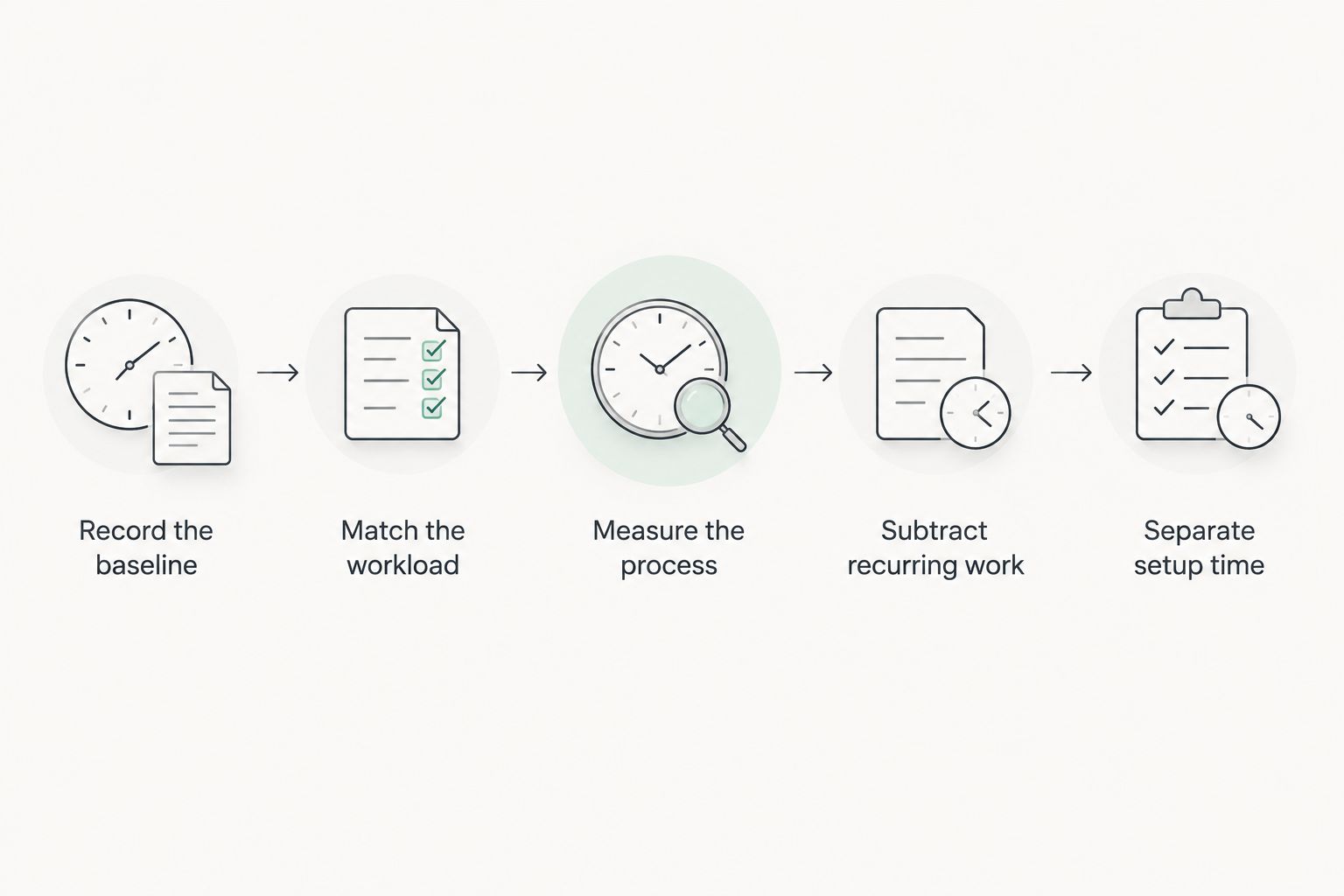
Follow these steps:
- Record the baseline. Measure the work required to prepare, check, send and administer invoices under your current process.
- Match the workload. Compare invoices with similar billing requirements, including routine invoices and exceptions.
- Measure the new process. Include reviews, corrections, failed actions and manual interventions after automation.
- Subtract recurring work. Deduct the new monthly workload from the comparable manual workload.
- Separate setup time. Report implementation effort separately from recurring monthly savings.
What belongs in the calculation?
Build a record that captures the task, the person doing it, the working time and the reason for any correction. Record shared preparation work separately so you do not assign the same effort to every invoice in a batch.
| Work category | Manual baseline | Automated process measurement |
|---|---|---|
| Customer information | Finding and entering billing details | Checking reused details and correcting changes |
| Billable work | Collecting approved hours or job information | Reviewing the information available for billing |
| Invoice preparation | Creating and checking the document | Reviewing the generated draft and resolving exceptions |
| Sending | Preparing and issuing the invoice | Checking delivery status and handling failures |
| Follow-up | Finding outstanding invoices and preparing reminders | Reviewing exceptions and handling disputed balances |
| Accounting handover | Preparing records for the next accounting step | Checking transferred or exported records |
Only count tasks your business actually performs. If payment follow-up sits outside your invoicing team's responsibilities, report it separately rather than quietly adding it to the headline saving.
Compare the workflow, not just the invoice editor
Different automation scopes remove different tasks. For a useful 2026 comparison, identify exactly where information enters the process and where a person still has to intervene.
The options below describe workflow approaches, not verified features of any named product. Treat each benefit as something to demonstrate using your own billing records.
| Approach | Best for | Potential benefit to verify | Limitation to include |
|---|---|---|---|
| Manual preparation | Unusual invoices requiring individual treatment | Direct control over each document | Repeated entry and checking remain manual |
| Document-level automation | Standard invoices with billing information already prepared | Less repeated document preparation | Collecting hours and job details remains separate |
| Connected billing workflow | Teams coordinating customer, project and time records | Less re-entry between billing stages | Setup, source-data checks and exceptions still need attention |
Choose the workflow that removes your measured bottleneck. A document-level improvement addresses document preparation; it does not prove that collecting project information or resolving billing disputes takes less time.
Ask for a demonstration that starts before the invoice exists. Supply representative billing information, follow it through review and issue, and watch what happens when something is missing or incorrect.
Manual preparation: retain it for genuine exceptions
Manual preparation gives you direct control when billing requires individual judgement. The trade-off is that you remain responsible for entering information and checking the result.
Do not preserve a manual process simply because it is familiar. Identify which decisions genuinely need a person, then separate those decisions from repetitive copying and formatting.
Document-level automation: test preparation savings
Document-level automation is best evaluated when your billing inputs are already ready. Measure whether preparing and issuing the document takes less working time without increasing corrections.
Keep upstream work visible. An invoice generated quickly from a manually assembled spreadsheet still carries the labour required to assemble that spreadsheet.
Connected billing: test the handovers
A connected workflow is best evaluated when billing depends on information held across customer records, projects and time entries. The test is whether information passes between stages without avoidable re-entry.
The limitation is responsibility. Someone still needs to maintain source information, approve billable work and resolve exceptions; include that work even when it happens outside the invoicing screen.
Why automated invoicing time savings vary
Your monthly result depends on the work being automated, not simply on the presence of an invoicing module. Use these factors to explain the difference between your baseline and your measured result:
- Invoice workload: More invoices create more repetitions of per-invoice tasks. Separate that volume effect from genuine improvements in processing time.
- Billing information: Contact details, project records and tracked hours determine what your team must assemble before preparing an invoice.
- Approval requirements: Record the effort spent checking work and obtaining approval, even when the document itself is generated automatically.
- Billing complexity: Separate straightforward invoices from those requiring changes, individual treatment or supporting information.
- Accounting handover: Include preparation and checking work that remains after the invoice has been issued.
- Exception handling: Record corrections, disputed items and unsuccessful actions instead of measuring only the invoices that pass through cleanly.
For your 2026 baseline, keep task definitions consistent across employees. If one person counts checking customer details as preparation and another excludes it, their records are not directly comparable.
How to measure savings without overstating the result
Start with 1 complete billing month as your measurement period. This is a practical starting point for a monthly calculation, not a claim that every business has a representative month.
If that period excludes an important billing pattern, extend the observation. Your records should cover the work you intend to automate, including the difficult cases.
Record active work rather than waiting
Track the time someone actively spends preparing, checking or correcting an invoice. Record waiting for customer approval separately because waiting time and labour time answer different questions.
A shorter approval delay can matter operationally without releasing the same amount of staff capacity. Do not add elapsed waiting time to the hours you claim to have saved.
Keep the comparison like-for-like
Compare similar invoice types and include changes in workload. A quieter month does not demonstrate that automation removed work.
When the mix changes, compare the working time for each invoice type before combining the results. This makes the monthly result easier to explain and prevents straightforward invoices from hiding demanding exceptions.
Report separate recurring and implementation totals
Maintain 2 totals: recurring monthly billing effort and implementation effort. The recurring total shows the continuing workload; the implementation total captures preparation, configuration, data cleanup and training.
For a 2026 implementation, report the first-month result alongside the recurring result. A process can reduce ongoing billing work while still requiring substantial attention during its introduction.
Verify where the released time went
Ask the people doing the work which tasks disappeared and which replaced them. If invoice preparation shrank but correction work grew, the net result must include both changes.
Released capacity is not automatically a reduction in payroll expense. Report hours as hours unless you separately establish a financial effect.
Where a modular platform fits
Mesh App is best suited to SMEs seeking contact, project, time tracking, invoicing and finance modules in a modular CRM/ERP platform. That makes the billing handovers relevant to an evaluation, rather than just the appearance of the finished invoice.
The module list does not establish how a particular billing workflow behaves. Ask Mesh App to demonstrate your required process, including approvals, corrections and accounting handover, before attributing any time saving to it.
The benefit to assess is having the relevant business functions within the platform's modular scope. The trade-off to assess is the work required to configure, maintain and use the process your team needs.
Bring actual workflow requirements to the evaluation: where customer details originate, how hours become approved, who checks invoices and what happens after issue. Test the difficult path as carefully as the straightforward one.
Does automated invoicing save time with a small invoice workload?
A small invoice workload still supports a time-saving calculation, but the result depends on the effort removed from each billing cycle. Include recurring administration as well as document preparation.
Automate a measured problem, not an assumed one. If preparation already takes little effort and most billing work involves individual decisions, test those decisions before changing the process.
Should I include payment reminders in monthly savings?
Include payment reminders when they are part of the workflow you are measuring. Compare the manual effort with the review and exception work that remains after automation.
Keep invoice production and payment follow-up distinguishable in your records. That prevents a reminder improvement from being presented as faster invoice creation.
Does faster invoicing mean customers pay sooner?
Faster invoice preparation and earlier customer payment are separate outcomes. Measure preparation effort, issue dates and payment dates separately rather than treating one as proof of another.
For your 2026 report, keep the operational claim precise: fewer hours spent billing is a time result. A change in payment timing requires its own evidence.
FAQ
How much time does automated invoicing save per month?
Monthly time saved equals the manual billing workload minus the automated billing workload for comparable invoices. Include reviews, corrections and exception handling, then convert the difference from minutes to hours.
How do I convert invoicing minutes saved into hours?
Divide the minutes saved by 60 minutes per hour. Calculate the monthly difference after including all remaining manual billing work.
Should I count software setup as invoicing time?
Count setup when assessing implementation effort and the first-month result. Keep it separate from recurring monthly workload so the continuing saving remains clear.
What should I measure before automating invoicing?
Measure invoice preparation, checking, sending, follow-up and accounting handover where those tasks belong to your process. Include time spent finding customer details and approved billable work.
Is invoice automation the same as e-invoicing?
No. Invoice automation concerns the work performed by software, while e-invoicing concerns electronic invoice formats and exchange requirements. Evaluate workflow efficiency and applicable requirements separately.
Can automated invoicing eliminate all billing work?
Do not assume automated invoicing eliminates all billing work. Measure the approvals, corrections, disputes and other exceptions that still require attention.
What should an SME check when evaluating Mesh App for invoicing?
An SME should check how its required billing process fits the contact management, project management, time tracking, invoicing and finance modules. Request a demonstration using representative billing cases rather than assuming particular automations are included.
One last thing
Measure the work before the invoice exists. Search time, missing approvals and incomplete billing information belong in the baseline even though they never appear on the finished document.
Before approving an invoicing change in 2026, trace a completed invoice backwards to its source information. The task you need to improve is the one consuming working time, not necessarily the one labelled invoicing.


