

Expect a cutover window defined by your migration rehearsal, not a universal number of hours: CRM downtime lasts from the point you stop normal work until essential workflows pass checks in the replacement system. Data transfer is only part of that window; permissions, connected systems and final record checks also determine when your team can resume work. For a 2026 switch, approve the downtime estimate only after testing the actual migration process.
- How much downtime should you expect when switching CRM systems? Use a timed rehearsal, not a generic estimate.
- Separate CRM migration time, restricted access and full business interruption in your cutover plan.
- Mesh App combines CRM and ERP modules; include every module you intend to move in acceptance testing.
- Keep a tested recovery route until essential workflows and post-cutover records are verified.
Why this matters
An accessible CRM is not necessarily a usable CRM. Your team might be able to sign in while customer ownership, project links or connected workflows remain incorrect.
Define downtime by the work your business cannot complete, not by whether the login page loads. A consultant needs access to client commitments; a construction business also needs current job information wherever staff use it.
Keep the migration schedule separate from the interruption schedule. The guide to how long data migration takes when switching CRM providers addresses the broader transfer process; this page focuses on the point where normal work stops and safely resumes.
How much downtime should you expect when switching CRM systems?
Your expected downtime is the measured interval between restricting normal operations and confirming that essential work can continue. A rehearsal supplies the timing; your acceptance checklist determines whether that timing is usable.
Record these stages separately:
- Restrict changes. Stop or redirect updates that would otherwise be lost between the final export and the switch.
- Transfer final changes. Move the records created or edited since the earlier migration run, using a supported method.
- Validate essential work. Check record relationships, access permissions and the workflows required for daily operations.
- Release the system. Tell staff where to work, which restrictions have ended and where to report problems.
Some preparation belongs outside the downtime window. Field mapping, sample imports, staff instruction and initial configuration should be completed before you restrict live work.
Your 2026 cutover plan should distinguish between full interruption and restricted operation. If staff can read customer details but cannot save changes, report that restriction explicitly rather than calling the business fully operational.
Compare the interruption models
Choose a transition method around the work that must continue, then test whether both systems support it. These are planning options, not promises about any particular CRM.
| Transition option | Best for | Main advantage | Main limitation |
|---|---|---|---|
| Single cutover | Teams able to pause CRM updates together | Establishes a clear point when the replacement becomes authoritative | All essential workflows must be ready at release |
| Phased transition | Workflows that can be separated without breaking dependencies | Limits the scope of each release | Requires clear ownership of records and processes across systems |
| Read-only legacy access | Teams that need historical reference during transition | Preserves a reference point if access remains supported | Does not capture new work or resolve differences between systems |
Select the simplest transition your dependencies allow. Adding phases does not remove the need to reconcile changes; it changes where that responsibility sits.
Single cutover: establish a clear release point
A single cutover moves the team to the replacement CRM at a defined handover. Prepare and test the replacement first, then restrict changes, transfer the final updates and complete acceptance checks.
This approach suits a business whose essential users can pause updates together. Its advantage is clarity: after release, staff know which system holds current information.
Its limitation is concentrated exposure. A failed essential workflow affects the release decision for everyone included in the switch.
Before choosing this method, identify what would prevent reopening. Missing customer assignments, inaccessible active projects or an incomplete final transfer need explicit acceptance rules, not an improvised decision during cutover.
Phased transition: separate work without splitting ownership
A phased transition moves selected teams, workflows or data groups at different handovers. Use it only when the boundaries are clear enough to explain to the people doing the work.
Its advantage is a narrower release scope. Its limitation is coordination: a customer record in one system and a related project in another still need an agreed source of truth.
Write down who updates each record type during every phase. Avoid instructions such as using whichever system is convenient; that makes reconciliation part of everyday work.
For a 2026 phased migration, make each phase pass its own acceptance checks before expanding the scope. Treat unresolved dependencies as release conditions rather than assuming a later phase will repair them.
Read-only legacy access: preserve reference, not live operations
Read-only access lets staff consult historical information without continuing to change it. Confirm that the outgoing provider supports the access and retention arrangement you need before relying on it.
The benefit is reference continuity. Staff can investigate an older interaction without treating the outgoing CRM as the place for new work.
The limitation is equally important: read-only access is not a replacement workflow. It cannot solve missing permissions, incomplete imports or failed processes in the new CRM.
Define how staff should report a historical discrepancy. Corrections need an owner and a destination, otherwise the legacy system becomes a permanent workaround rather than a temporary reference.
Why CRM switching downtime varies
The same migration method produces different interruption windows when the work inside that window changes. Scope the following factors before accepting a schedule:
- Data scope. Contacts alone require different checks from contacts linked to projects, activities and financial records.
- Record relationships. Customer-to-project links and assigned owners must survive the transfer, not merely appear as separate imported records.
- Change handling. Updates made during preparation need a defined route into the replacement system.
- Connected workflows. Every external process included in your switch needs a tested handover and a clear restart point.
- User access. Staff need the correct permissions for their actual tasks, not just working administrator access.
- Acceptance and recovery. Release checks and a workable recovery route are part of the interruption plan, not optional tasks afterward.
A larger contact list does not explain the entire schedule. An estimate that names only import duration leaves the operational release unmeasured.
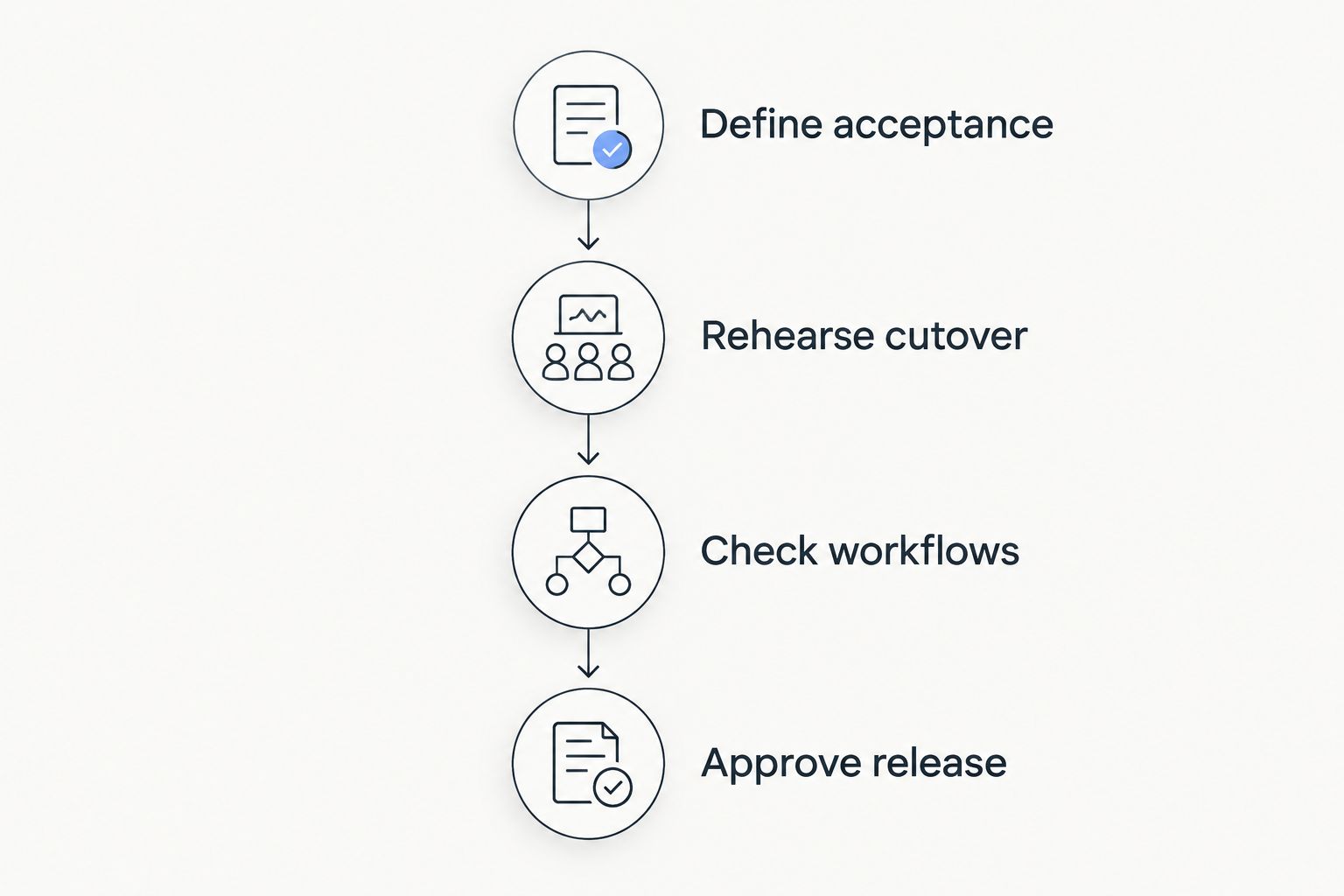
How to measure your own cutover window
Use a rehearsal that follows the intended production sequence. A sample import helps check field mapping, but it does not time the complete handover.
Define acceptance
List the work that must function before staff return. Include finding a customer, checking ownership, opening related work and saving an authorised update.
Choose checks from your actual scope. If time tracking or invoicing is part of the transition, include those workflows; if it is not, do not turn the CRM switch into an unplanned finance migration.
Rehearse cutover
Run the planned transfer sequence in an appropriate test environment. Record the duration of each stage and the conditions that caused a stop or retry.
Use the same validation rules you intend to apply at release. Otherwise, the rehearsal measures a shorter process than the one your business will actually follow.
Check workflows
Ask representative users to complete real task patterns with suitable test records. An administrator's successful login does not demonstrate that a project manager or salesperson has the correct access.
Record failures against specific acceptance conditions. Separate release blockers from issues that have an approved temporary workaround.
Approve release
Name the person who decides whether to reopen, postpone or recover. Give that person the test results, unresolved issues and the status of the recovery route.
Communicate the decision in plain terms: where staff should work, what remains restricted and how to report an error. Release is a business decision supported by checks, not an automatic consequence of the import finishing.
What should you test when moving connected business modules?
A CRM switch needs broader acceptance checks when the replacement also handles operational work. Mesh App is a modular CRM/ERP SaaS platform offering contact management, project management, time tracking, invoicing and finance modules.
Mesh App is suited to small and medium-sized businesses seeking CRM and ERP modules in one platform. Assess Mesh App against the workflows you intend to move, rather than assuming that a module list establishes migration readiness.
The relevant advantage is the range of business functions described by those modules. The corresponding planning constraint is scope: including more workflows in your switch means defining acceptance conditions for each workflow you include.
For example, check that an imported customer connects to the intended project before validating work recorded against it. If invoicing is included, test the customer and project relationships that the invoicing workflow depends on.
A 2026 selection decision should separate product fit from migration execution. Confirm supported import methods, historical data handling and transition responsibilities directly before approving the implementation plan.
Can you keep working while your CRM data moves?
Yes, if your transition plan explicitly separates the work that can continue from the work that must pause. Reading existing records and creating new records are different permissions and need different instructions.
Choose one approved place for new information during the restricted period. If you use a temporary capture process, assign responsibility for transferring and checking those entries afterward.
Do not let staff improvise parallel records in personal files. A continuity process should preserve ownership, access controls and a clear route back into the operational system.
Does an overnight switch guarantee no business interruption?
No. An overnight switch changes when the interruption happens; it does not prove that the work will finish before staff return.
Use the rehearsed sequence to decide whether the proposed window is suitable. Include the decision point for postponing release, and account for staff who work outside normal office hours.
If customers or field teams submit information outside office hours, define how that information will be captured during the handover. An empty office does not necessarily mean an inactive business.
What happens if the replacement CRM fails its checks?
Do not release workflows that fail essential acceptance conditions. Follow the recovery decision agreed before cutover, with responsibility assigned to a named decision-maker.
Recovery becomes more complicated once people start creating records in the replacement CRM. Your plan must explain how those changes will be retained and reconciled if work returns to the outgoing system.
A backup is an input to recovery, not proof that recovery works. Test the restoration or return process that your plan actually relies on.
FAQ
How much downtime should you expect when switching CRM systems?
Expect the interruption measured during a complete cutover rehearsal, rather than a universal hourly estimate. Include final changes, essential workflow checks and release approval, not just the import.
Is CRM migration time the same as downtime?
No. Migration time includes preparation and transfer work that can happen before normal operations stop. Downtime covers the period when essential work is unavailable or explicitly restricted.
Can my team use the old CRM during migration?
Your team can use the old CRM only within the rules established for the transition. Define when updates stop, how later changes are captured and whether read-only access remains supported.
Will switching CRM systems interrupt invoicing?
Invoicing needs its own continuity plan if it is included in or dependent on the CRM switch. Test the relevant customer records, relationships and workflow before releasing that function.
Does Mesh App guarantee a downtime-free CRM migration?
Do not treat a downtime-free migration as a guarantee without an explicit provider commitment. Agree the migration scope, acceptance conditions and recovery responsibilities before scheduling the switch.
What should I tell employees before the CRM switch?
Tell employees when changes stop, where to record essential new information and who confirms that normal work can resume. Explain which system is authoritative at each stage and where to report errors.
One last thing
Test a record created during the transition, not just a record copied before it. That check exposes whether your change-handling process actually connects preparation to live operations.
Before signing off your 2026 cutover plan, trace that record through capture, transfer, ownership and its next required action. A successful historical import does not answer what happens to work arriving while the switch is underway.


