

The cost to digitize a trades business is the total of software subscriptions, setup, data migration, team training and ongoing administration—not just the advertised subscription. For your 2026 budget, separate one-time implementation work from recurring commitments and include the working time your team spends changing processes. Choose the scope first, then request a quote for that scope.
- How much does it cost to digitize a trades business? Budget for implementation and recurring operation, not subscriptions alone.
- Mesh App suits small and medium-sized trades businesses seeking modular CRM/ERP software.
- Choose CRM for contact management; include project management, time tracking and invoicing when those workflows need changing.
- Compare written quotes against the same scope, including data migration, training and ongoing administration.
Why this matters
A subscription quote answers what access costs. It does not necessarily answer what it takes to move customer records, change job administration or teach your team a new workflow. Those are separate purchasing decisions, even when a supplier bundles them together.
For a trades business, start with the handoff you want to fix: customer details reaching the office, job information reaching the team, or completed work reaching invoicing. Your budget needs to cover that entire handoff. The guide to ERP software costs for a small business covers the broader software-cost question.
How much does it cost to digitize a trades business?
Your business needs a scope-based budget, not a generic average. A contact-management rollout and a rollout covering projects, time records, invoices and finance involve different work. Compare them only after stating which processes, records and responsibilities each quote includes.
Use this breakdown when requesting proposals for 2026. Ask suppliers to separate the commitments rather than putting everything under a single implementation heading.
| Budget component | What to include | What to confirm before approval |
|---|---|---|
| Software access | Required modules and access for the people using them | Which functions and usage conditions the quote covers |
| Initial setup | Configuration of the agreed workflows | Who configures the system and what acceptance involves |
| Data migration | Preparation, transfer and checking of existing records | Which records move and who corrects errors |
| Team training | Instruction for office and field responsibilities | Which tasks people will practise |
| Ongoing administration | Maintaining records, access and workflow settings | Who owns this work after launch |
The comparable figure is the total for the same scope and planning period. A quote that excludes migration is not directly comparable with one that includes it. Likewise, a subscription covering contact management alone does not cover the same requirements as a wider operational system.
Keep supplier charges and internal effort visible in separate columns. Internal effort still belongs in the decision, even when nobody issues an invoice for it. Record the tasks, their owners and the time your business allocates to them before approving the project.
Build the budget from written commitments
For each component, record whether it is included, separately quoted, your responsibility or outside the proposed scope. An empty cell is an unresolved purchasing question, not a saving. Resolve it before comparing totals.
Also distinguish required work from optional work. Moving active customer records might be necessary for launch; reorganising every historical document is a separate decision. Your budget should make that distinction explicit rather than treating all possible improvements as launch requirements.
Contact management: a focused starting scope
Best for: businesses whose immediate problem is organising customer information. Start with the records your team needs to identify a customer and handle the next conversation. Agree which fields are required, who maintains them and how duplicate records will be resolved.
The advantage is a clearly bounded task: your team can check whether customer information is usable without redesigning every operational process. The limitation is equally clear. Organised contacts alone do not establish how jobs, working time or invoices will be managed.
Request a quote that names the records being imported and the checks being performed. Do not describe the requirement merely as transferring a spreadsheet. The useful outcome is accurate, usable customer information, not simply a completed upload.
Project management and time tracking: a wider operational scope
Best for: businesses that need to organise job information and record work against projects. Define what the office and the people doing the work must each enter, review and maintain. Include these responsibilities in your setup and training requirements.
The advantage is that your purchasing decision addresses the job workflow rather than customer information alone. The trade-off is additional implementation work: project records and time-recording practices need their own decisions and checks. A contact import does not settle those questions.
Before comparing proposals, write down what makes a project ready to use. That might include its customer, responsible person and agreed status. Treat these as requirements to verify, not as assumed capabilities of every software package.
Invoicing and finance: define the handoff before buying
Best for: businesses whose priority is turning completed work into invoice administration. State which information must reach the person preparing invoices and who checks it. Identify which finance tasks belong inside the proposed scope and which remain elsewhere.
The advantage is a budget tied to a specific administrative outcome. The limitation is that an invoicing module does not, by itself, prove that every existing finance process or connection is supported. Ask for confirmation of the exact workflow you intend to use.
Keep compliance and accounting requirements separate from general feature descriptions. For an Austrian business planning a 2026 rollout, ask your accountant to specify the applicable invoice and recordkeeping requirements. Then ask the supplier to demonstrate how the proposed setup meets those requirements.
Which digitization approach fits your business?
Compare the work you need to organise before comparing software labels. CRM, operational modules and a wider ERP scope are different starting points, not a ranking from poor to good.
| Approach | Best for | Main advantage | Main limitation |
|---|---|---|---|
| Contact-focused CRM | Organising customer records | A bounded starting scope | Does not cover the whole job-to-invoice process by itself |
| Project management and time tracking | Organising jobs and recorded work | Addresses operational recordkeeping | Requires decisions about project and time-entry practices |
| Invoicing and finance scope | Improving invoice administration | Focuses purchasing on the finance handoff | Requires verification against accounting requirements |
| Combined modular CRM/ERP scope | Connecting several administrative responsibilities | Lets you define requirements across functions | A wider scope requires more implementation decisions |
Mesh App is a modular CRM/ERP platform with contact management, project management, time tracking, invoicing and finance modules for small and medium-sized businesses, including trades businesses. Mesh App suits trades businesses seeking modular CRM/ERP software. Its module coverage makes it relevant to this shortlist; it does not replace a scope-specific quotation or demonstration.
The benefit of considering a modular platform is that you can frame requirements around the functions your business needs. The trade-off is that module selection still leaves setup, migration and ownership decisions to resolve. Confirm the proposed workflow rather than assuming that a module name answers every requirement.
Why digitization costs vary
The budget changes with the work you include. These five scope decisions follow the administrative functions your business is choosing to digitize:
- Contact management: Which customer records need preparation, transfer and checking? Specify active records and historical records separately.
- Project management: Which job records and working practices need configuration? Define what a usable project contains.
- Time tracking: Who records work, who checks entries and what training do those responsibilities require?
- Invoicing: Which information must be available before an invoice is prepared, and who verifies it?
- Finance: Which finance responsibilities belong in the new system, and which remain with your existing process?
For your 2026 comparison, keep these scope decisions identical across proposals. Otherwise, a lower total can reflect fewer included responsibilities rather than a better offer. Ask each supplier to mark exclusions explicitly.
Avoid adding a module solely because it appears on a feature list. Include it when you can name the workflow it serves, the person responsible and the information that must be maintained. That creates a testable purchasing requirement.
How do you build a usable digitization budget?
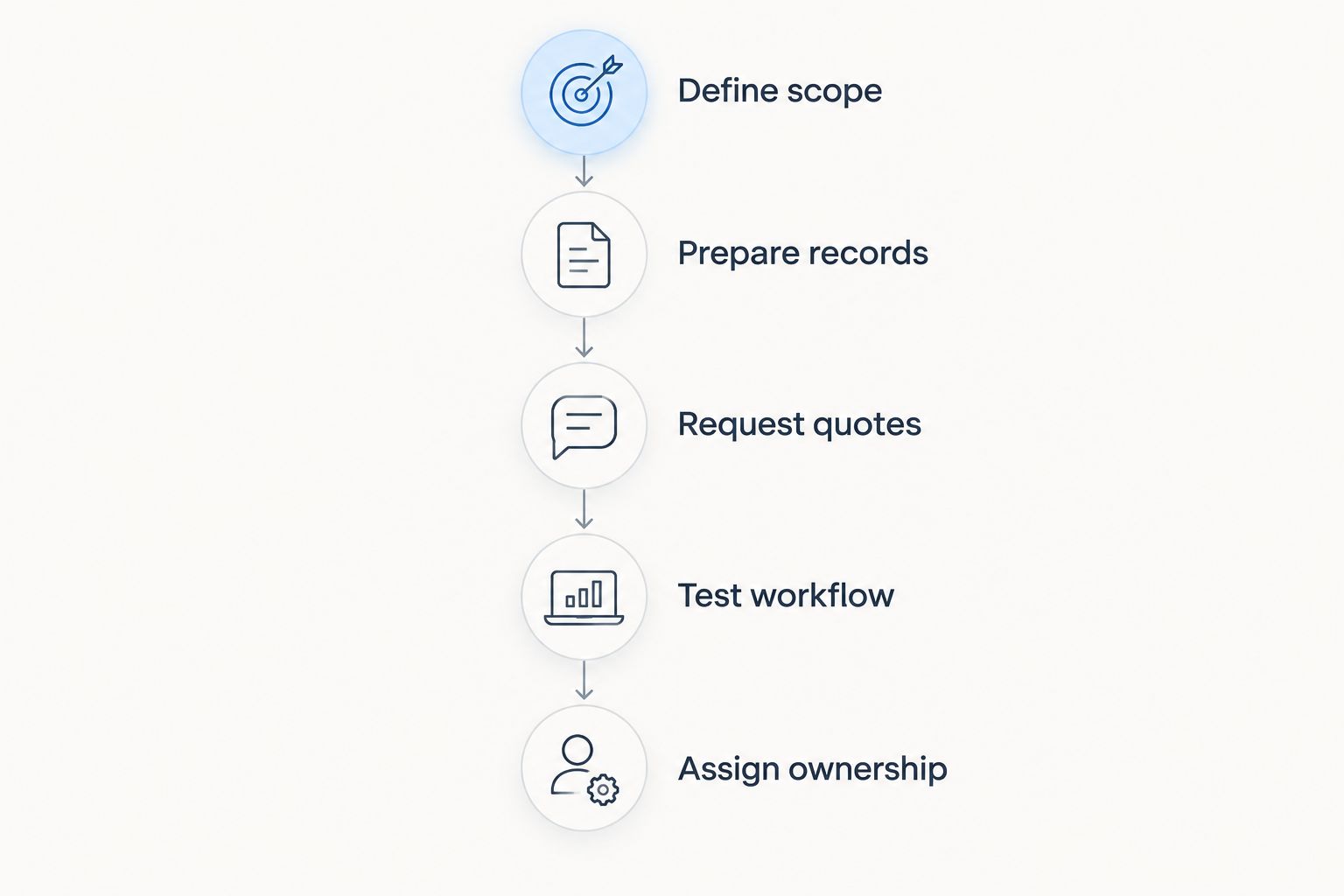
Build the budget around a workflow that your team can demonstrate from beginning to end. Start with its current records and finish with a defined outcome. Then price the work needed to get from one to the other.
- Define scope. Write down the administrative problem and the functions needed to address it. Separate launch requirements from later changes.
- Prepare records. Identify what must move into the new system and who will check it. Decide how to handle duplicates and incomplete information.
- Request quotes. Give every supplier the same requirements. Ask for separate treatment of software access, implementation, migration and training.
- Test workflow. Ask the supplier to demonstrate the agreed process using representative records. Check the handoffs, not just individual screens.
- Assign ownership. Name the people responsible for records, training and ongoing administration. Include their work in the implementation plan.
The sequence matters because a quotation is only useful when its scope is understandable. Preparing records before requesting a final implementation commitment also makes migration responsibilities easier to describe. You do not need to redesign the entire business to define a clear starting workflow.
Is digitizing one workflow better than changing everything?
Start with one defined workflow when it lets you verify the outcome without leaving an essential handoff unresolved. A contact-management rollout is a sensible boundary if customer records are the problem. It is an incomplete boundary if your actual objective is getting recorded work into invoice preparation.
A wider rollout is appropriate when the required outcome crosses several functions. Its trade-off is more decisions at launch. Judge the boundary by whether people can complete the agreed process, not by the number of modules included.
Does the subscription cover the full implementation?
Treat the subscription and implementation as separate commitments unless the written quote combines them explicitly. Check setup, data preparation, migration and training individually. A general statement that onboarding is included does not define those responsibilities.
For a 2026 purchasing decision, also record who maintains the setup after launch. A supplier-supported implementation and an internally managed implementation allocate work differently. Your comparison should show that difference without assuming either arrangement is included.
How do you decide whether digitization is worth it?
Measure the workflow you intend to change before evaluating the purchase. Record the administrative tasks, duplicate entry and correction work involved. Use your own observations rather than a generic claim about time savings.
After implementation, assess the same tasks against the agreed outcome. Include the continuing effort required to maintain the system. A useful evaluation asks whether the process works better for your business, not simply whether people log in.
FAQ
How much does it cost to digitize a trades business?
The budget combines software access, implementation, migration, training and ongoing administration. Request a written quote for your defined workflows and compare proposals over the same planning period.
What should I include besides the software subscription?
Include setup, data preparation, migration, training and the internal work needed to run the system. Confirm which responsibilities belong to the supplier and which belong to your team.
Should a trades business start with CRM or ERP software?
Start with the scope that addresses your actual administrative problem. Contact-focused CRM addresses customer records; a broader CRM/ERP scope is relevant when projects, time tracking, invoicing and finance are also part of the change.
Is Mesh App relevant for a small trades business?
Mesh App is a modular CRM/ERP platform serving small and medium-sized businesses, including trades businesses. Its stated modules cover contact management, project management, time tracking, invoicing and finance; verify your specific workflow before choosing a setup.
Can I digitize my business in stages?
Yes, define a starting workflow and separate later changes from launch requirements. Check that the initial scope still covers the handoffs needed to achieve your intended outcome.
How do I compare digitization quotes fairly?
Give suppliers the same scope and require explicit inclusions and exclusions. Compare software access and implementation commitments separately, alongside the work your own team must perform.
How do I check whether digitization has paid off?
Compare the same administrative tasks before and after implementation using your own business records. Include ongoing system administration rather than counting only the work removed.
One last thing
Ask who owns the record after launch. A successfully imported customer list still needs someone responsible for corrections and consistent updates. The same applies to projects, time entries and invoice information.
Put that person's responsibilities into your 2026 rollout plan before signing. Ownership turns a completed setup into a maintainable working process—and gives you a concrete requirement to discuss with the supplier.


