

ERP setup takes as long as your team needs to configure the agreed workflows, migrate usable data, test the results and prepare users for daily work; there is no single duration that applies to every business. Creating an account is not the same as completing an implementation. For your 2026 rollout, set the launch date against acceptance criteria, not against the date you first access the software.
- How long does it take to set up an ERP system? Scope, data migration and user readiness determine completion.
- Mesh App offers modular CRM/ERP functions for small and medium-sized businesses; assess the workflows you need before scheduling implementation.
- A phased ERP implementation limits initial scope but requires a clear handover between existing and new processes.
- Approve go-live only after representative workflows, migrated records and user access pass your agreed checks.
How long does it take to set up an ERP system?
The useful timeline runs from agreed scope to accepted daily operations, not from signup to first login. Separate technical configuration from business readiness before asking a supplier for a completion date. Otherwise, you risk comparing an account-creation estimate with a full operational rollout.
For a modular platform such as Mesh App, identify which functions belong in the initial rollout. Contact management, project management, time tracking, invoicing and finance each introduce different records, decisions and acceptance checks. Selecting modules does not complete those checks.
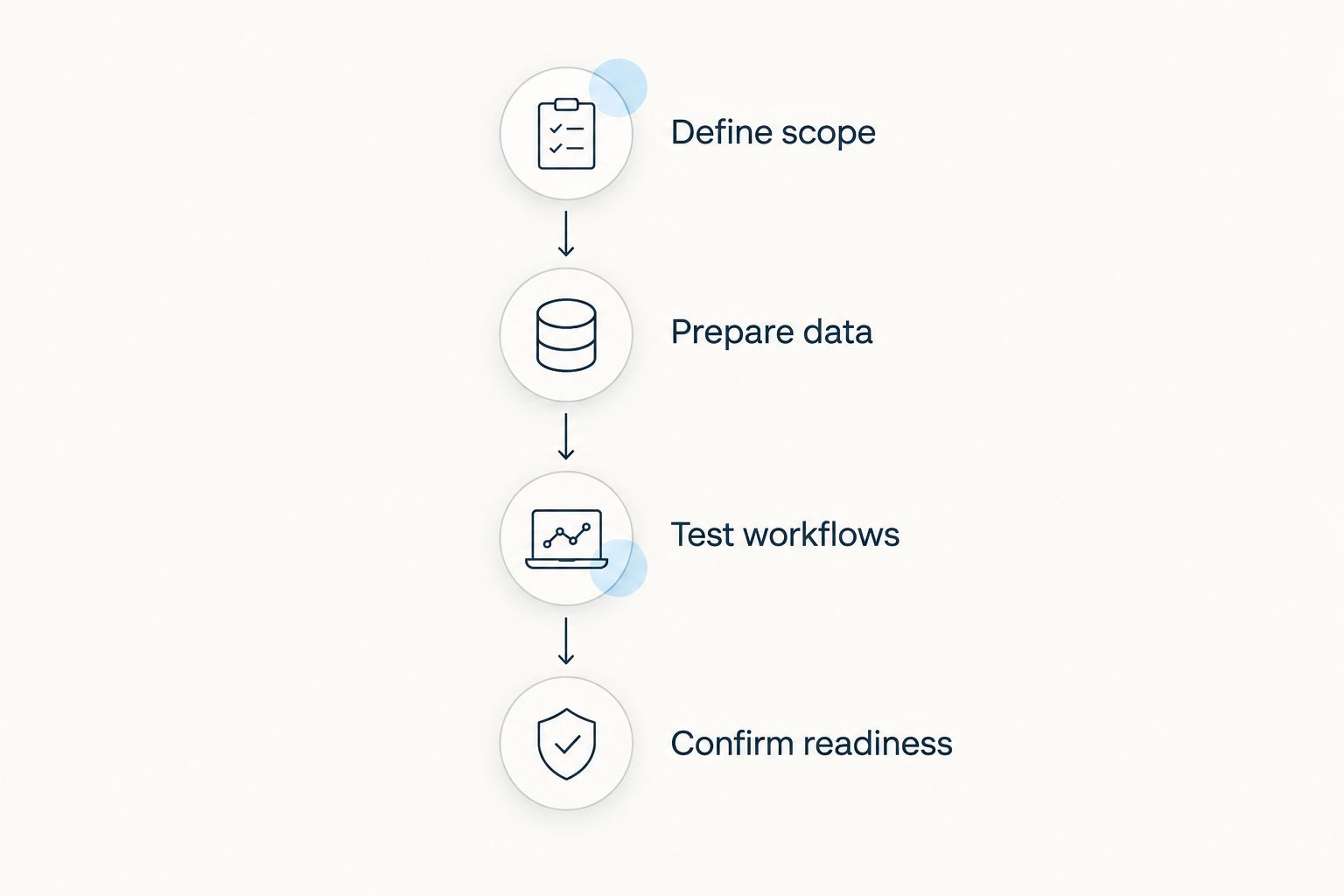
Build your implementation schedule around these gates:
- Scope agreed: Name the workflows included at launch and the work explicitly postponed.
- Data prepared: Identify source records, resolve duplicates and agree how fields map into the new system.
- Configuration checked: Confirm the settings and user access needed for the agreed workflows.
- Workflows tested: Run representative tasks and reconcile the outputs against expected results.
- Users ready: Have the people doing the work demonstrate their tasks without relying on the project lead.
- Launch accepted: Assign support ownership and approve the transition from the old process.
Each gate needs an owner and evidence of completion. A date without those conditions tells you when someone hopes to finish, not what will be ready.
Compare rollout approaches before comparing dates
Your implementation plan needs a launch approach. A phased rollout and a coordinated rollout solve different transition problems; neither provides a universal completion time.
| Approach | Best for | Advantage | Limitation | Launch condition |
|---|---|---|---|---|
| Phased rollout | Businesses with workflows that can be separated | Keeps the initial implementation scope narrower | Requires explicit handovers between old and new processes | The selected workflow works end to end, including its handovers |
| Coordinated rollout | Businesses whose selected workflows must change together | Moves linked processes onto the new setup at the same cutover | Requires connected workflows to pass testing before launch | All launch-critical workflows and dependencies are accepted |
Choose the approach around process dependencies, not around the shortest proposed schedule. A phased plan is not a shortcut if a postponed workflow is essential to completing the work you launch.
Why this matters
An ERP launch changes how your business records and processes work. If staff enter information in the new system while another team still treats a spreadsheet as authoritative, you have a transition problem even when the software is configured correctly.
For a 2026 implementation, define what successful daily use looks like before discussing a deadline. A consulting firm might use a project-to-invoice workflow as its acceptance case. A trades business might start with customer records and job administration; those are planning examples, not promises about a particular platform's setup time.
The practical question is: Which business task must your team complete reliably on launch day? Answer that first, then identify the configuration, data and training required to support it.
A phased rollout: finish a bounded workflow first
A phased implementation gives the initial launch a narrower boundary. You select a workflow, prepare the records it needs and confirm that the people responsible can complete it. Other processes stay outside the launch scope until their own preparation is finished.
The advantage is a focused acceptance decision. Instead of declaring the entire business ready, you approve a clearly defined operational change. The limitation is the handover: information still needs to move between the launched workflow and anything remaining outside it.
Write those handovers into the plan. If customer details move into the new system while another process remains in a spreadsheet, specify where updates originate and who transfers them. Without that rule, the same customer record can acquire conflicting versions.
Best for: businesses that can separate an initial workflow without breaking dependent work. Keep the first phase small enough to test, but complete enough to use.
A coordinated rollout: test connected work before cutover
A coordinated rollout changes the selected processes together. This approach fits a launch scope in which a transaction must pass through several connected workflows without reverting to the old setup midway.
The advantage is a clear cutover for those linked processes. The limitation is a broader acceptance requirement: a working customer record does not prove that project administration, time entry and invoicing are ready together.
Create test cases that follow work across the full agreed scope. Check what happens when someone corrects an entry, changes responsibility or discovers an incomplete record. A successful demonstration of the normal path does not settle those questions.
Best for: businesses with launch-critical workflows that cannot be separated cleanly. Schedule the cutover after those workflows pass their checks, not after isolated modules appear ready.
How to build an ERP implementation schedule for 2026
Use a dependency-based schedule rather than assigning an arbitrary duration to every stage. A task starts when its prerequisites are ready; the launch follows acceptance of the work that matters to daily operations.
Define scope before requesting a date
List the workflows you intend to replace. Describe the starting event, the person responsible, the required information and the expected output for each workflow. This gives the supplier and your team something concrete to estimate.
Also record exclusions. Historical records, optional reports and secondary workflows need explicit decisions; otherwise, they can enter the project without an agreed change to the schedule.
Prepare data before committing to migration
Inventory the sources you use today: spreadsheets, existing applications and manually maintained records. Decide which records remain active, which need correction and which belong in an archive rather than the initial import.
Check field meanings as well as field names. A column labelled status is not useful until you define its allowed values and how those values should behave in the new process. Use the guide to switching from Excel to CRM without losing data to structure that preparation work.
Test workflows before training against them
Confirm the intended process before teaching it to the wider team. Training against settings that are still changing creates avoidable rework and leaves staff unsure which instructions apply.
Test with representative records, including exceptions your business actually encounters. Document the expected result and the observed result. Assign unresolved issues to an owner rather than leaving them in meeting notes.
Confirm user readiness before launch
Ask each role to demonstrate its daily tasks. Attendance at a training session is not evidence that someone can find the right record, enter valid information or recover from a mistake.
Finish with a launch decision that names the accepted scope and unresolved exceptions. Assign responsibility for questions after cutover and state when the old process stops accepting new entries.
Why ERP setup time varies
The implementation date depends on the work inside the scope and the dependencies between tasks. For your 2026 plan, review these factors before accepting an estimate:
- Selected workflows: Adding contact management, projects, time tracking, invoicing or finance adds decisions and testing to the launch scope.
- Data condition: Duplicates, unclear fields and conflicting records require resolution before you can trust the migrated data.
- Process decisions: Configuration depends on agreement about responsibilities, record ownership and how work moves between roles.
- Connections to existing systems: Any required exchange with another application needs defined inputs, outputs and acceptance checks.
- User preparation: Each role needs to practise the tasks it will perform, including corrections and exception handling.
- Decision availability: Unanswered configuration questions and unapproved test results remain unfinished project work.
Do not compress these into a single question about company size. A smaller business with unresolved records still has data work to complete. A larger team still needs role-specific preparation even when its processes are well documented.
Ask what remains unresolved, who owns it and which launch task depends on the answer. That produces a more useful schedule discussion than asking whether an implementation is fast or slow.
Is cloud ERP quicker to set up than an on-premises system?
Cloud delivery removes the need to install and operate the application on your own infrastructure, but it does not remove business implementation work. Data preparation, workflow decisions, testing and user readiness still need acceptance.
Distinguish access from operational readiness when reviewing a cloud proposal. Immediate access to an account does not establish that your records, permissions or daily processes are ready for use.
Ask the supplier to separate platform provisioning from the customer-side implementation tasks. The resulting schedule should show both responsibilities without treating either as already complete.
Can you start using ERP before the whole implementation is finished?
Yes, if the launched workflow is complete and its dependencies are handled explicitly. That is a phased rollout, not permission to use untested processes.
For example, selecting contact management first requires a decision about where customer updates belong while other workflows remain outside the new setup. The boundary must be understandable to staff doing the work, not just to the project lead.
Use a simple acceptance rule: launch the selected workflow only when users can complete it and its handovers without an unresolved launch-critical issue. Keep unfinished work outside the accepted scope.
How do you know an ERP system is ready to go live?
An ERP system is ready for the agreed scope when representative workflows pass testing, users can perform their tasks and launch responsibilities are assigned. A configured dashboard alone does not meet that standard.
Reconcile migrated records against their sources, check role access and confirm the handling of corrections. Record any accepted exceptions so they do not disappear behind a general statement that the project is finished.
For a 2026 cutover, document the launch decision in plain language: what starts, what stops, who supports users and which issues remain outside the approved scope.
Where a modular CRM/ERP platform fits
Mesh App is suited to small and medium-sized businesses seeking modular CRM/ERP functions for contacts, projects, time tracking, invoicing and finance. Those named modules let you frame the implementation discussion around the functions your business needs.
The planning benefit is a defined module scope. The corresponding constraint is that selecting modules does not establish how your records, settings or cross-module workflows should operate. You still need to validate the process you intend to launch.
Mesh App's modular CRM/ERP offering is relevant to that scope decision, not evidence of a particular implementation duration. Evaluate your required workflows directly instead of assuming that modular software means a fixed or immediate launch.
FAQ
How long does it take to set up an ERP system?
ERP setup has no universal duration; completion depends on the agreed scope, data preparation, configuration, testing and user readiness. Request a schedule tied to acceptance criteria rather than account activation.
Can we use an ERP system as soon as we create an account?
Creating an account does not establish operational readiness. Confirm that the required data, settings, access and workflows are accepted before using the system for the launch scope.
What should we prepare before an ERP implementation starts?
Prepare a workflow list, an inventory of source records and named decision owners. Resolve unclear fields and define what successful use looks like before finalising the schedule.
Is a phased ERP rollout better than changing everything at once?
A phased rollout fits workflows that can be separated without breaking dependent work. A coordinated rollout fits connected processes that need to change together; each requires explicit acceptance checks.
Does choosing cloud ERP remove the need for implementation?
Cloud ERP does not remove data preparation, workflow configuration, testing or training. Separate access to the platform from readiness to run your business processes.
How do we know our team is ready for the ERP launch?
Your team is ready when each role can demonstrate its required daily tasks and handle agreed exceptions. Training attendance alone does not prove operational readiness.
What should a Mesh App implementation plan include?
A Mesh App implementation plan should identify the selected CRM/ERP modules, required records, workflow owners and acceptance checks. Its contact, project, time tracking, invoicing and finance modules do not establish a universal launch duration.
One last thing
Test a correction, not just a successful transaction. Ask a user to find an incorrect entry, explain who is authorised to change it and demonstrate how the corrected information reaches the people who need it.
That exercise checks more than data entry. It tests ownership, permissions, user understanding and the handovers that your launch depends on. Make it part of your acceptance decision before retiring the old process.


