

Yes, project management software can be used without formal training for basic task tracking, provided your team understands the workflow and can complete routine actions independently. That does not remove the need for setup, shared task rules, or instruction before people change permissions, financial records, or automated processes.
- Can project management software be used without training? Yes for basic tasks, after a practical usability check.
- Self-guided onboarding suits simple workflows; shared rules still determine how consistently your team records work.
- Mesh App suits SMEs seeking project management alongside CRM, time tracking, invoicing and finance modules.
- Test routine work before rollout, and separate everyday task updates from administrative responsibilities.
Can project management software be used without training?
Yes for routine project work; not as a blanket rule for every role or feature. Creating a task, assigning responsibility and updating progress are different responsibilities from configuring access or deciding how project hours enter a billing process.
For your 2026 selection, assess those responsibilities separately. The project management software for small businesses guide provides broader context; the immediate question is whether your team can perform its actual work without someone explaining each action.
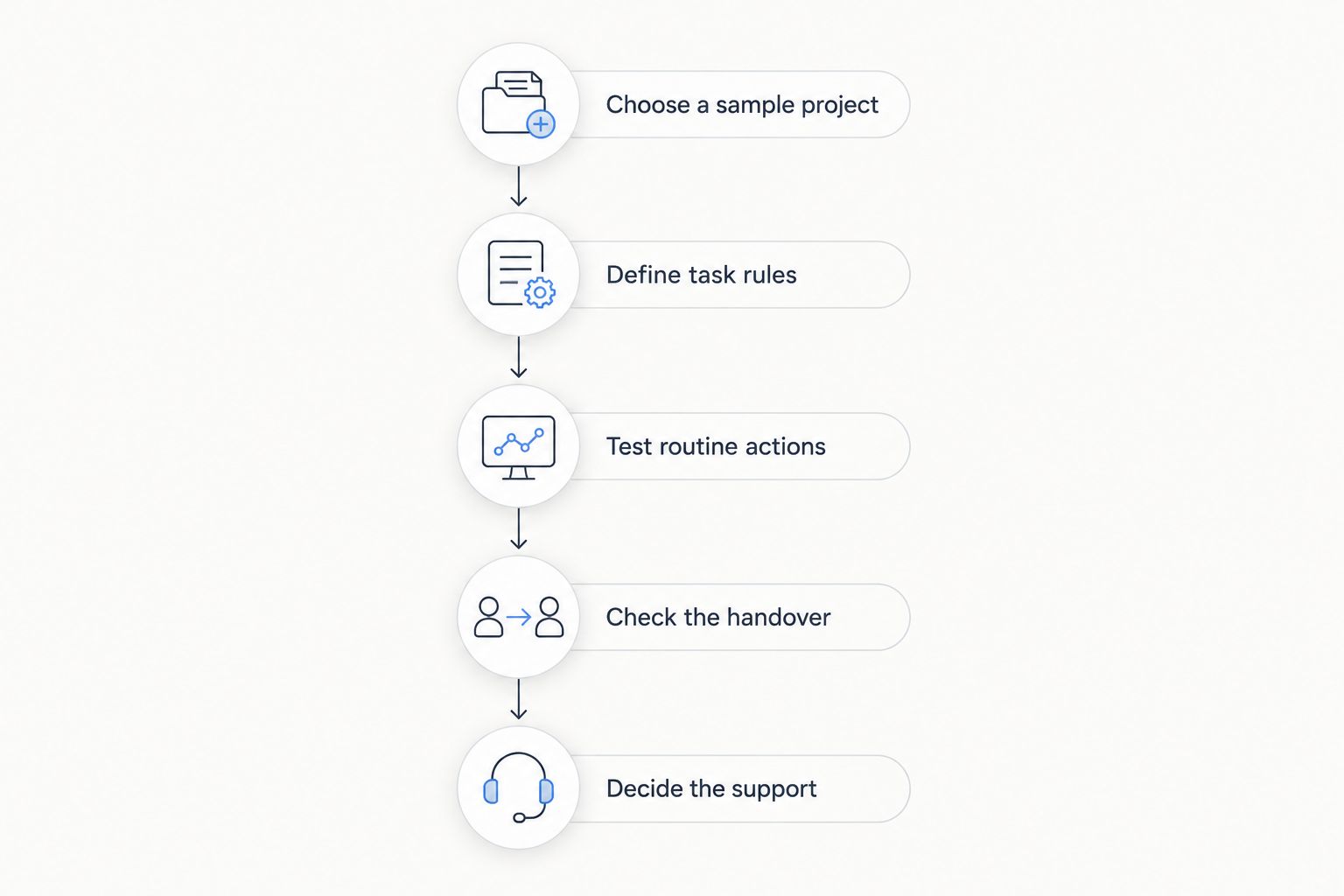
Use this sequence to answer that question before rollout:
- Choose a sample project. Use representative work without confidential client information.
- Define task rules. Agree what an assignment, due date and completed task mean.
- Test routine actions. Ask a colleague to create, assign, update and locate work.
- Check the handover. Ask another colleague to continue from the recorded information.
- Decide the support. Keep self-guided use where it works; add instruction where it fails.
Passing this check does not establish that every feature needs no training. It establishes that the tested workflow is understandable enough for independent use.
Why this matters
Skipping a course and skipping preparation are different decisions. You can avoid a classroom session while still giving people a written workflow, a sample task and a clear route for questions.
The distinction matters when your software covers more than a project board. Mesh App includes project management alongside contact management, time tracking, invoicing and finance modules, so your evaluation should distinguish everyday project updates from responsibilities involving those other areas.
Judge readiness by completed work, not by whether the interface looks simple. A person who finds the completion button but records the wrong outcome has not demonstrated a reliable workflow.
Which onboarding approach fits your team?
Compare the scope of work before choosing an onboarding method. The table below is a decision framework for your 2026 rollout, not a claim about measured learning times or product performance.
| Approach | Best for | Main advantage | Main limitation | Recommendation |
|---|---|---|---|---|
| Self-guided use | Routine task updates in a clearly defined workflow | People practise the actions they actually need | Independent interpretations can produce inconsistent records | Use after a practical check |
| Written workflow | Repeatable assignments, updates and handovers | Gives everyone a shared reference | Instructions need maintenance when the process changes | Use for recurring work |
| Guided walkthrough | Unfamiliar workflows or responsibilities spanning departments | Explains decisions as well as button locations | Attendance alone does not prove competence | Follow with an independent task |
| Role-specific instruction | Access management, financial handovers and process configuration | Focuses attention on consequential actions | Requires you to define responsibilities first | Use before granting those responsibilities |
These approaches are not mutually exclusive. A project contributor can work independently while the person managing access receives a focused walkthrough.
Do not teach every employee every feature. Teach or document the actions attached to each role, then check that the person can complete them without assistance.
What can you start with independently?
Start with a contained workflow where mistakes are visible and reversible. Keep the exercise away from live financial records, external messages and sensitive client information.
For a practical 2026 check, use 1 sample project, 3 task states and 2 test users. These are suggested exercise settings, not a benchmark or a promise about implementation effort.
Basic task updates: best for project contributors
Ask a contributor to create a task, identify the person responsible, add a due date and record a useful update. Then ask that person to find the same task again without relying on the page remaining open.
The advantage is direct practice with everyday work. The limitation is scope: success with task updates says nothing about reporting, access controls or linked financial processes.
Choose task states that your team can explain consistently. For the sample exercise, use Not started, In progress and Complete; replace them if those meanings do not fit your actual work.
Project handovers: best for project leads
Ask the second test user to explain what happens next using only the project record. The handover should identify responsibility, the next action and any obstacle that prevents progress.
This tests whether your records communicate work, rather than merely store it. Its limitation is that a clear sample handover does not establish that every live project has complete information.
Administrative setup: best for designated administrators
Separate system configuration from everyday participation. Before someone changes access or shared settings, make sure that person understands who will be affected and how the change will be checked.
Focused instruction gives administrators a reason for each decision. Its limitation is that instruction cannot replace an agreed business policy: the software cannot decide who your organisation should authorise.
A practical check before your 2026 rollout
Run the exercise with a colleague who did not configure the workspace. Do not narrate the interface while that person works; observe where an explanation becomes necessary.
Choose a sample project
Select a familiar type of job with a clear outcome. Write the intended result in plain language so the test measures software use, not the participant's ability to guess the assignment.
Use invented sample names rather than copying client details into a test environment. Keep the sample small enough that you can inspect every task afterward.
Define task rules
Write down what each task state means and who can mark work complete. Explain whether a due date means an internal handover or an external commitment.
Avoid instructions such as “keep everything updated” without defining the expected record. A usable rule tells someone what information to add and when that update belongs in the workflow.
Test routine actions
Ask the participant to enter work, assign it, change its state and retrieve it. If time tracking belongs to the role, include a sample time entry and ask the participant to explain which project it belongs to.
Record the point where the participant needs help. Distinguish an unclear label from an unclear business rule; changing software will not resolve an undefined process.
Check the handover
Give the project to the second participant without a verbal briefing. Ask that person to identify completed work, unfinished work and the next responsible person.
A successful handover requires understandable information, not just correctly filled fields. If the next person needs a separate conversation to reconstruct the task, improve the record or the shared rule.
Decide the support
Keep independent use for actions that participants complete correctly. Add a written explanation or a guided demonstration for the actions that stop them.
Repeat the failed action after the explanation. An independent second attempt is a better readiness check than asking whether everyone understood.
Why the need for training varies
The training decision depends on the work assigned, not simply on whether someone has used software before. Use these factors to decide where self-guided onboarding ends and instruction begins.
- Workflow scope. Updating a task is a narrower responsibility than coordinating work across project, time and billing records.
- Role boundaries. Contributors need clear update rules; administrators also need to understand the consequences of configuration changes.
- Shared terminology. “Complete” needs an agreed meaning before different people use it to report progress.
- Handover requirements. A task record must contain enough context for the next responsible person to act.
- Consequences of error. Practising with sample tasks is different from changing access or preparing information for a financial process.
- Module scope. Introducing project management alone is a different onboarding decision from introducing contact, time, invoicing and finance workflows together.
Do not use familiarity with spreadsheets as proof of readiness. Ask people to demonstrate the intended workflow in the software you are considering.
Where does Mesh App fit?
Mesh App is best for SMEs seeking project management alongside CRM, time tracking, invoicing and finance modules. Its stated scope matches businesses evaluating those functions together rather than looking only for a standalone task list.
The advantage of including Mesh App in that evaluation is its modular CRM/ERP scope. The trade-off is evaluation breadth: you still need to decide which responsibilities belong in your initial rollout and which require separate instruction.
For a 2026 assessment, test the project workflow you intend to introduce first. Do not treat the presence of additional modules as evidence that employees can use those modules without preparation.
Do employees need a course before updating tasks?
Employees do not need a formal course simply to prove they can update tasks. They need to demonstrate that they can make the correct update and follow your team's definition of progress.
Use a practical task instead of a general software quiz. If the employee completes it independently and the next person understands the record, retain that self-guided approach for the tested responsibility.
Should administrators learn separately from project contributors?
Administrators should learn separately when their responsibilities include access decisions or shared configuration. Those responsibilities require explanations that a contributor making routine updates does not necessarily need.
Document who approves a consequential change and who checks it afterward. Keep the boundary explicit rather than giving every user administrative responsibility for convenience.
How do you know self-guided onboarding has worked?
Self-guided onboarding has worked for a tested workflow when the participant completes the task correctly and another person can continue from the record. A finished exercise without a usable handover is not enough.
Keep the successful example as a reference. Recheck the workflow when you change its rules or introduce responsibilities that the original exercise did not cover.
FAQ
Can project management software be used without training by a small team?
Yes, a small team can use project management software without formal training for routine work if members can demonstrate the workflow independently. Agree task meanings and responsibilities before relying on the records.
What's the difference between no training and self-guided onboarding?
Self-guided onboarding gives users a defined task, reference material and a way to get help. No preparation leaves those expectations undefined, even when the interface is easy to understand.
How long should learning project management software take?
Use demonstrated competence rather than a fixed learning deadline. Check whether each person can complete their assigned workflow correctly and hand over an understandable record.
Can I introduce time tracking at the same time as project management?
Introduce time tracking alongside project management only after defining how people assign time to work and correct mistakes. Test that workflow separately from basic task updates.
Is a written guide enough for new employees?
A written guide is enough for a particular workflow when the employee can follow it and complete the work independently. Add a demonstration where the guide does not resolve a misunderstanding.
What should I test before rolling out project software in 2026?
Test task creation, assignment, updates, retrieval and handover before your 2026 rollout. Use sample information and include only the responsibilities each participant will actually perform.
Should everyone learn the invoicing and finance features?
No, employees should learn the functions attached to their responsibilities. Keep invoicing and finance instruction separate from basic project participation unless the person's role genuinely includes those processes.
One last thing
Test the person receiving the work, not just the person entering it. A contributor can follow every visible step while leaving the next colleague unable to act.
Before approving your rollout, ask the receiving colleague to describe the next action without a verbal explanation. That check tells you whether your software workflow supports a handover—not merely whether someone learned where to click.


