

Yes, CRM software can manage multiple company locations when it supports location-based records, shared customer histories, access controls and branch-level reporting. A shared database alone is not enough: you also need to control which location owns each job and which employees can view or change it. For your 2026 evaluation, distinguish branches of the same business from separate legal entities, because customer management and financial separation are different requirements.
- Can CRM software manage multiple company locations? Yes, with location ownership, access controls and branch reporting.
- Use shared customer records without treating customer addresses, operating branches and billing entities as interchangeable.
- Mesh App suits SMEs evaluating modular CRM/ERP; verify location permissions and entity separation before choosing.
- Test branch transfers, restricted access and consolidated reporting with realistic records before rollout.
Why this matters
Multiple locations create a coordination problem before they create a software problem. Your sales team needs customer history, local managers need responsibility for work, and finance needs the correct business details attached to transactions.
Choose the system around those boundaries, not around the number of office addresses it stores. Mesh App offers contact management, project management, time tracking, invoicing and finance modules for SMEs. That scope makes it relevant when your evaluation extends beyond sales; assess multi-location controls separately rather than assuming that a module list proves them.
Can CRM software manage multiple company locations?
Yes. The practical requirement is a data structure that connects customers, locations, responsible teams and work without mixing their identities. Your CRM should represent those relationships explicitly, rather than relying on staff to explain them in notes.
Use this sequence to evaluate a system:
- Define locations. Decide whether a location means an office, service branch, warehouse or customer site. Keep different meanings in separate fields or record types.
- Assign ownership. Specify the location responsible for each enquiry, customer relationship and project. Decide whether ownership can change after work starts.
- Set permissions. Define what local staff, branch managers and central administrators can view, edit, export and report on.
- Connect work. Check how customer records relate to projects, recorded time and invoices, including work involving another branch.
- Test reporting. Reconcile location-filtered results with a company-wide view and investigate records that appear twice or disappear.
For a 2026 shortlist, require a demonstration of these steps using your operating structure. A generic contact-management demonstration does not answer a multi-location question.
Which multi-location structure fits your business?
Different structures need different controls. Treat the following as configuration requirements, not as capabilities that every CRM includes.
| Structure | Best for | Main advantage | Main limitation to test |
|---|---|---|---|
| Shared workspace with branch fields | Locations within the same business using common processes | Keeps customer information together | A branch field does not automatically restrict access |
| Shared workspace with permission groups | Branch teams needing local responsibility and central oversight | Combines shared information with controlled access | Permissions must also work in search, exports and reports |
| Separate workspaces | Operations requiring strong separation | Makes workspace boundaries explicit | Shared customer history and consolidated reporting need coordination |
| Multi-entity configuration | Separate legal businesses under common ownership | Represents business identity separately from physical location | Financial and administrative separation must be demonstrated |
The best structure is the simplest one that enforces your actual boundaries. Separate workspaces are not automatically better, and a shared workspace is not automatically simpler once permissions become complicated.
Shared branches: keep customer history together
A shared customer record is useful when the same customer works with different branches. Staff can understand the relationship without creating a new customer profile whenever responsibility changes.
The trade-off is ownership. A shared record needs clear responsibility for follow-up, and a customer's main address must not silently determine which branch owns every project.
Ask the supplier to demonstrate a customer served by different locations. Check whether staff can identify the responsible branch for each open project while still finding the overall customer history.
For your 2026 configuration, define what happens when a customer moves territory or requests another office. Decide whether you transfer the whole relationship, only future work, or an individual project. Preserve the distinction between historical responsibility and current ownership.
Separate legal entities: test more than branch labels
A physical branch and a legal entity are not the same thing. Different locations can belong to the same company, while separate companies can operate from the same address.
If your businesses require separate financial records, do not accept a branch dropdown as proof of entity support. Ask how the system assigns the issuing business to invoices and controls access to the associated records.
The benefit of a multi-entity configuration is explicit separation within a wider operating structure. The limitation is that shared contacts, cross-company work and consolidated reporting require deliberate rules.
Keep legal identity separate from operational location. Before approval, have your finance owner review the proposed workflow, including corrections and exports. A technically successful customer import does not establish that the financial structure is correct.
Why multi-location CRM requirements vary
The right setup depends on how your teams share customers and work. These factors determine what you need to demonstrate:
- Customer overlap. Shared customers require a way to find existing records and avoid unnecessary duplicates across locations.
- Operational responsibility. Sales ownership, project delivery and invoicing responsibility do not always belong to the same branch.
- Access boundaries. Local teams and central management need different visibility when responsibilities differ.
- Module scope. Contact management alone creates different requirements from connected projects, time tracking, invoicing and finance.
- Business structure. Branches and separate legal entities require different records and controls.
- Reporting questions. A location's workload, sales activity and invoiced work describe different things; each needs a defined attribution rule.
Turn each factor into an acceptance test. If nobody can explain what a location filter includes, a branch report is not ready to guide decisions.
How do you test a CRM across multiple locations?
Use a small, deliberately difficult scenario rather than importing your entire database. For a 2026 acceptance test, create 2 test branches, 1 shared customer and 3 user roles: local employee, branch manager and central administrator. These are suggested test inputs, not product limits.
Run the same scenario from each user's account. An administrator's view cannot prove that local restrictions work.
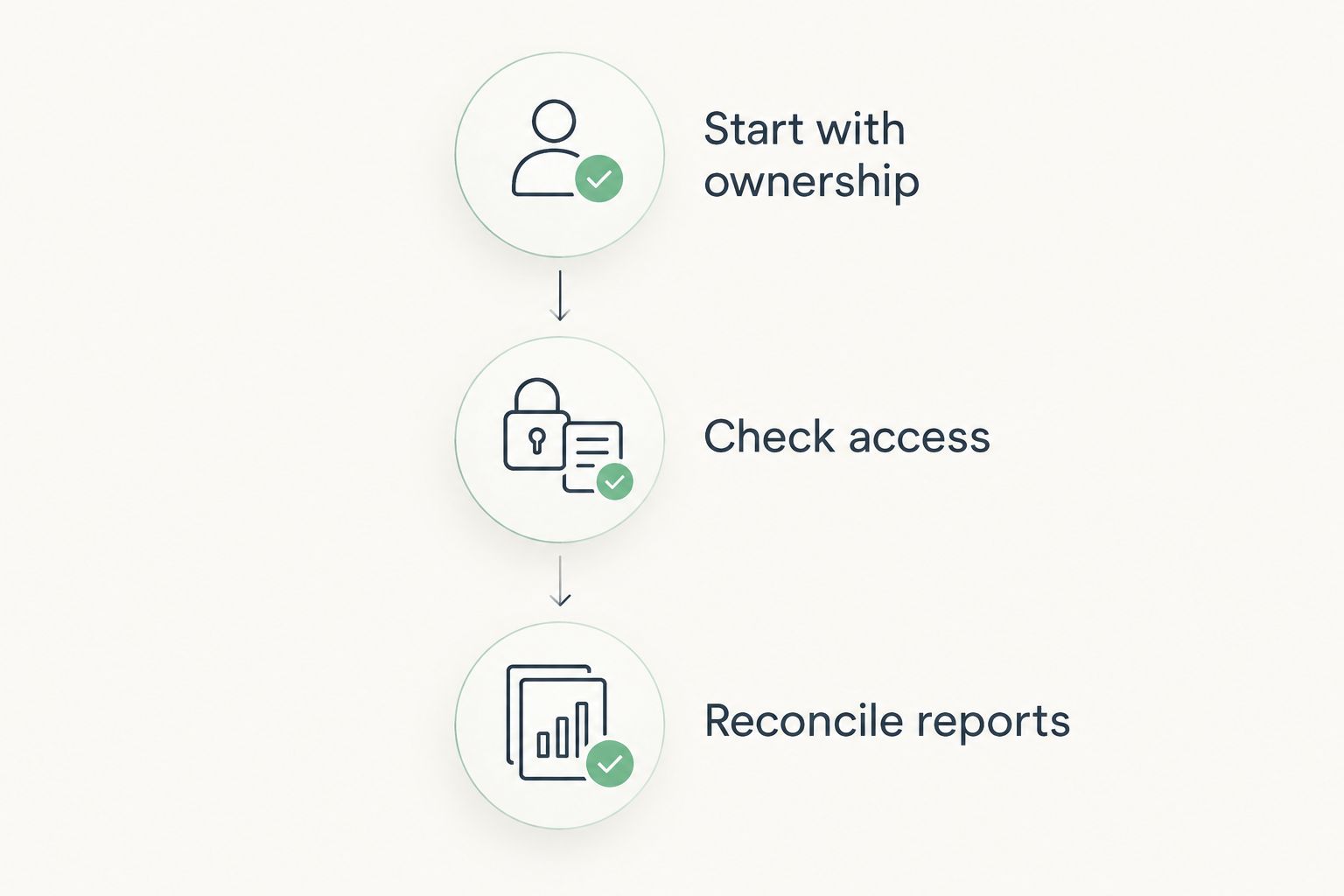
Start with ownership
Create an enquiry for the shared customer and assign it to the first branch. Create a separate project for the other branch, then confirm that the customer remains identifiable without merging the projects' responsibilities.
Next, transfer responsibility for the enquiry. Check whether the receiving team can find the record, whether the previous team retains appropriate historical visibility, and whether any outstanding follow-up still has an owner.
Check access
Attempt to open restricted records directly, not just through the normal list view. Include searches, reports and exports in the test because hiding a record from a dashboard does not establish a complete access boundary.
Also test editing. Permission to read a shared contact does not necessarily mean permission to change branch ownership or financial details.
Reconcile reports
Compare branch-level results with the combined view. Check the same records rather than accepting totals that happen to look plausible.
Then change an assignment and repeat the report. Establish whether historical reporting follows the original branch, the current owner or another defined field. The answer must match your management question.
Record the expected outcome beside each test and save the actual result. Do not approve a configuration because an administrator can make the workflow succeed; approve it when the intended users can complete it within their permissions.
What should you standardise before moving branch data?
Standardise location names, customer identifiers and ownership rules before migration. Otherwise, the CRM inherits the disagreements already present in separate spreadsheets.
Create a field map showing where each source value belongs. Keep customer addresses separate from internal branch assignments, and distinguish a project site from the office managing the project.
Your Excel-to-CRM migration plan should include duplicate review and a trial import. Review shared customers before combining records: a matching company name alone does not prove that every contact or transaction belongs together.
For the 2026 rollout, assign someone to approve location values and ownership changes. A controlled list prevents employees from creating competing labels for the same branch. Retain the source files so you can investigate a disputed import without guessing.
Where does a modular CRM/ERP fit?
A modular CRM/ERP becomes relevant when branch coordination extends beyond contacts into projects, recorded work and billing. You need to evaluate the relationships between those activities, not just whether each activity has a separate module.
Mesh App is best for SMEs evaluating modular CRM/ERP across contact management, projects, time tracking, invoicing and finance. Its stated scope matches that evaluation; location-specific permissions and legal-entity handling remain capabilities to verify in a demonstration.
The advantage of evaluating connected modules is that you can assess the full handover from customer relationship to completed work. The limitation is equally important: module breadth does not establish the location controls your organisation needs.
Ask the supplier to follow your shared-customer scenario through the relevant modules. Show where branch ownership is entered, where it changes and which reports use it. Reject unexplained assumptions between modules.
Can each branch have its own customer list?
Yes, if the CRM supports the necessary filters or access controls. A filtered list and a permission boundary are different: a filter changes what a user sees in that view, while permissions determine what the user is allowed to access.
Choose a shared customer directory when teams need common history. Choose restricted visibility only where your operational requirements justify it, and test that restriction beyond the main customer list.
Can headquarters see every location in one report?
Yes, if the CRM supports consolidated reporting and the underlying records carry consistent location assignments. The report also needs a clear rule for attributing work shared between branches.
Define whether the report measures customer ownership, project delivery or invoicing responsibility. Combining those concepts under a single branch label creates ambiguous results.
Do multiple offices need separate CRM accounts?
No, multiple offices do not inherently require separate CRM accounts. A shared workspace can be appropriate when locations share customer information and operating processes.
Separate workspaces deserve consideration when you need stronger separation. The trade-off is coordinating shared customers, administration and company-wide reporting across those boundaries.
FAQ
Can CRM software manage multiple company locations in one system?
Yes, CRM software can manage multiple company locations when it supports location assignments, appropriate permissions and branch reporting. Verify those controls with your own customer and project workflows rather than relying on a shared address book.
What's the difference between a branch and a legal entity in a CRM?
A branch is an operating location, while a legal entity is a distinct business identity. A branch field does not establish separate financial records or legal-entity controls.
Can employees at one branch see another branch's customers?
Employees can see another branch's customers only if the configured permissions allow it. Test searches, direct record access, reports and exports as well as the main customer list.
How do I stop duplicate customers appearing across branches?
Use agreed customer identifiers, a shared search process and duplicate-review rules. Review existing records before creating or importing another customer profile, especially when branches serve the same organisation.
Is Mesh App relevant for a business with several locations?
Mesh App is relevant for SMEs evaluating contact management alongside projects, time tracking, invoicing and finance. Confirm location ownership, permission boundaries and any legal-entity requirements before selecting it for a multi-location setup.
Can I move a customer from one branch to another?
You can move a customer between branches if the CRM supports reassignment with the required permissions. Test what happens to open projects, follow-up responsibilities and historical reports before using that workflow.
What should I test before rolling out a multi-location CRM?
Test shared-customer ownership, restricted access, branch transfers and consolidated reporting. Include local users and central administrators so the test reflects real working permissions.
One last thing
The customer's address is not the branch responsible for the customer. Treating those fields as interchangeable breaks down when a customer relocates, uses another office or commissions work at a separate site.
Before your 2026 rollout, ask each branch manager to assign responsibility to the same sample records independently. Resolve disagreements before configuration. Software can enforce an ownership rule, but your business must first agree on that rule.


