

Best overall for combined practice administration: Mesh App. Best for sales-focused follow-up: Pipedrive. Best for marketing-led client acquisition: HubSpot. This 2026 guide compares CRM software for architecture firms by how well each option fits client relationships, project handover and day-to-day administration—not by an unsupported budget ranking.
- Choose CRM software for architecture firms around client relationships, project handover and billing—not contact storage alone.
- Mesh App combines contact management, project management, time tracking, invoicing and finance modules.
- Pipedrive suits sales follow-up; HubSpot suits firms connecting marketing activity with client acquisition.
- Zoho CRM suits configurable sales processes; Salesforce Sales Cloud suits complex relationship management.
- Test shortlisted systems with a real architectural commission before committing.
Why this matters
Winning a commission and delivering it are different jobs. Your CRM should preserve the client relationship through that transition, even when project delivery happens elsewhere.
For an architecture practice, one organisation can be a client on one project, a consultant on another and a source of referrals on a third. Storing a name and email address does not capture those relationships. You need a structure your team can understand without asking the person who originally met the contact.
In 2026, the useful distinction is not simply between general-purpose and architecture-specific software. It is between a sales system, a broader business platform and a system your team will actually maintain. Choose the category before comparing individual features.
What makes the best CRM for architecture firms?
Use these criteria to assess your 2026 shortlist before watching a product demonstration:
- Relationship structure: Keep organisations, individual contacts and separate commissions distinct. Test how the system represents developers, consultants, contractors and referring partners.
- Opportunity follow-up: Give each potential commission an owner, a next action and a clear stage. A contact database without follow-up discipline is not enough.
- Project handover: Check how an accepted proposal becomes a delivery record. Decide which information must move and who owns the transition.
- Time and invoicing fit: Establish whether these belong in the same platform or in connected systems. Do not assume a CRM includes project accounting.
- Data control: Review access permissions, export options, retention settings and contractual terms. Ask for evidence rather than accepting a general security statement.
- Administrative effort: Test the tasks architects and practice administrators will repeat. A configurable system still needs someone responsible for keeping it useful.
CRM software for architecture firms at a glance
The order below reflects distinct use cases. It is not a claim that every practice needs the highest-ranked option.
| Software | Best for | Standout capability | Key limitation or selection check |
|---|---|---|---|
| Mesh App | Combined client and business administration | Contact, project, time, invoicing and finance modules | Architecture-specific workflows and connections need demonstration |
| Pipedrive | Principal-led sales follow-up | Visual deal pipelines and activity management | Project delivery and financial workflows need separate assessment |
| HubSpot | Marketing-led client acquisition | CRM alongside marketing and sales tools | A broader platform requires decisions about scope and ownership |
| Zoho CRM | Configurable sales processes | Sales workflow configuration and a wider application ecosystem | Related applications require their own setup and evaluation |
| Salesforce Sales Cloud | Complex relationship management | Configurable sales records, processes and reporting | Administration and implementation need a clear owner |
1. Mesh App: best CRM for combined practice administration
Mesh App is a modular CRM/ERP SaaS platform with contact management, project management, time tracking, invoicing and finance modules. Its stated audience includes small and medium-sized businesses in Austria, Germany and Switzerland, including construction and consulting businesses.
That combination makes it a relevant starting point when your selection extends beyond winning work. Evaluate whether the modules support your actual handover from client enquiry to project administration; their presence alone does not prove how your particular workflow operates.
Mesh App pros:
- Contact management and project management are both within the platform's stated scope.
- Time tracking and invoicing are available as modules to evaluate together.
- Finance modules make the shortlist relevant to broader practice administration.
Mesh App cons:
- Architecture-specific relationship structures require a demonstration before selection.
- Local invoicing requirements, accounting connections and permission needs require separate verification.
Best for: Small and medium-sized architecture practices evaluating client records, project administration and financial tasks together.
Mesh App is the best fit on this shortlist for small architecture practices seeking CRM alongside project, time and invoicing modules.
Verdict: Buy only after a representative commission passes your workflow test.
2. Pipedrive: best CRM for principal-led sales follow-up
Pipedrive is a sales CRM centred on deals, pipelines and activities. Its clearest role in an architecture practice is managing prospective commissions and the next action needed to move each conversation forward.
Choose this approach when project delivery already has a suitable home. Keep opportunity management focused rather than forcing every drawing issue, project task or invoice into a sales pipeline.
Pipedrive pros:
- Visual pipelines give prospective commissions an explicit stage.
- Activity management supports a defined next step for each opportunity.
- A sales-centred approach gives the selection process a clear boundary.
Pipedrive cons:
- A deal pipeline does not replace project accounting or technical document control.
- You must assess the handover to your delivery and invoicing systems separately.
Best for: Practices where a principal or business-development lead needs a structured view of prospective commissions.
During the demonstration, create separate opportunities for repeat work from the same client. Check that the team can distinguish the relationship history from the status of each commission.
Verdict: Buy for sales discipline; skip it as a substitute for a complete practice-management system.
3. HubSpot: best CRM for marketing-led client acquisition
HubSpot combines CRM with marketing, sales and service software. It belongs on your shortlist when your architecture practice wants to connect incoming enquiries and marketing activity with a managed sales process.
The decision is about organisational fit, not simply feature breadth. Identify who will maintain contact records, manage campaigns and follow up on enquiries before selecting a wider platform.
HubSpot pros:
- CRM and marketing tools sit within the same product ecosystem.
- Sales tools support a structured process after an enquiry arrives.
- Contact records provide a place to organise ongoing client relationships.
HubSpot cons:
- Marketing tools do not resolve project delivery or architectural billing requirements by themselves.
- A broader platform introduces more decisions about configuration, access and internal responsibility.
Best for: Architecture practices with an active marketing programme and a defined process for converting enquiries into commissions.
Test a realistic enquiry rather than a generic sales example. Ask how your team distinguishes an early conversation, a suitable brief and an opportunity worth pursuing.
Verdict: Buy when marketing-to-sales coordination is the priority; hold if nobody owns that process.
4. Zoho CRM: best CRM for configurable sales processes
Zoho CRM provides sales management and workflow configuration within Zoho's wider business software ecosystem. Consider it when your practice needs a sales process shaped around its own qualification steps and relationship categories.
Configuration should serve a documented process. Write down what you need before adding fields, rules or related applications; otherwise, the implementation becomes a collection of preferences rather than a usable system.
Zoho CRM pros:
- Configurable sales processes support a tailored opportunity structure.
- Workflow tools provide scope for organising repeatable sales tasks.
- The wider application ecosystem offers additional tools to evaluate separately.
Zoho CRM cons:
- Customisation creates ongoing responsibility for maintaining fields and rules.
- A shared vendor does not remove the need to test data flow between applications.
Best for: Practices with clearly defined sales requirements and an internal owner for configuration.
Use the demonstration to test a difficult relationship: one organisation, several contacts and multiple potential commissions. Reject a configuration that only works when each client has a single project.
Verdict: Buy for a documented, configurable sales process; wait if your requirements are still unsettled.
5. Salesforce Sales Cloud: best CRM for complex relationships
Salesforce Sales Cloud provides configurable sales records, opportunity management and reporting. It is relevant when your architecture practice needs to represent a more complex business-development structure rather than simply replace a contact spreadsheet.
Start with the information model. Define relationships between organisations, contacts and opportunities before deciding which reports, rules or additional components to build.
Salesforce Sales Cloud pros:
- Configurable records support detailed relationship modelling.
- Opportunity management gives business development a structured foundation.
- Reporting supports analysis of the sales information your team records.
Salesforce Sales Cloud cons:
- Configuration and administration require explicit ownership.
- Sales functionality does not establish suitability for architectural project accounting.
Best for: Practices with complex relationship and reporting requirements, plus the capacity to manage implementation.
Ask the proposed implementation team to demonstrate your relationship model before discussing additional features. A long feature list is not a substitute for records your colleagues can interpret correctly.
Verdict: Buy for genuine process complexity; skip it when your requirement is a straightforward shared pipeline.
Test the shortlist with a real commission
Use a 30-minute demonstration built around your own workflow. Give each supplier the same scenario so you compare outcomes rather than presentation quality.
Prepare 5 contact records, 2 prospective commissions and 1 accepted project as a suggested test set. These are demonstration inputs, not product limits or implementation benchmarks.
Contact structure
Create a client organisation and its individual contacts. Add a consultant or contractor separately, then ask the demonstrator to show how those parties relate to a commission without duplicating their records.
Opportunity follow-up
Give each prospective commission an owner and a next action. Ask a colleague who did not enter the information to identify what happens next; the answer should come from the record, not a verbal explanation.
Project handover
Move the accepted commission into the proposed delivery workflow. Identify every field that must be re-entered and every handover task that depends on someone remembering it.
For the delivery side of this decision, compare your requirements with this guide to project management software for architecture firms.
Time and billing
Ask how recorded work reaches the invoicing process, where review happens and which system holds the financial record. Test the proposed arrangement rather than assuming that separate modules or applications exchange everything you need.
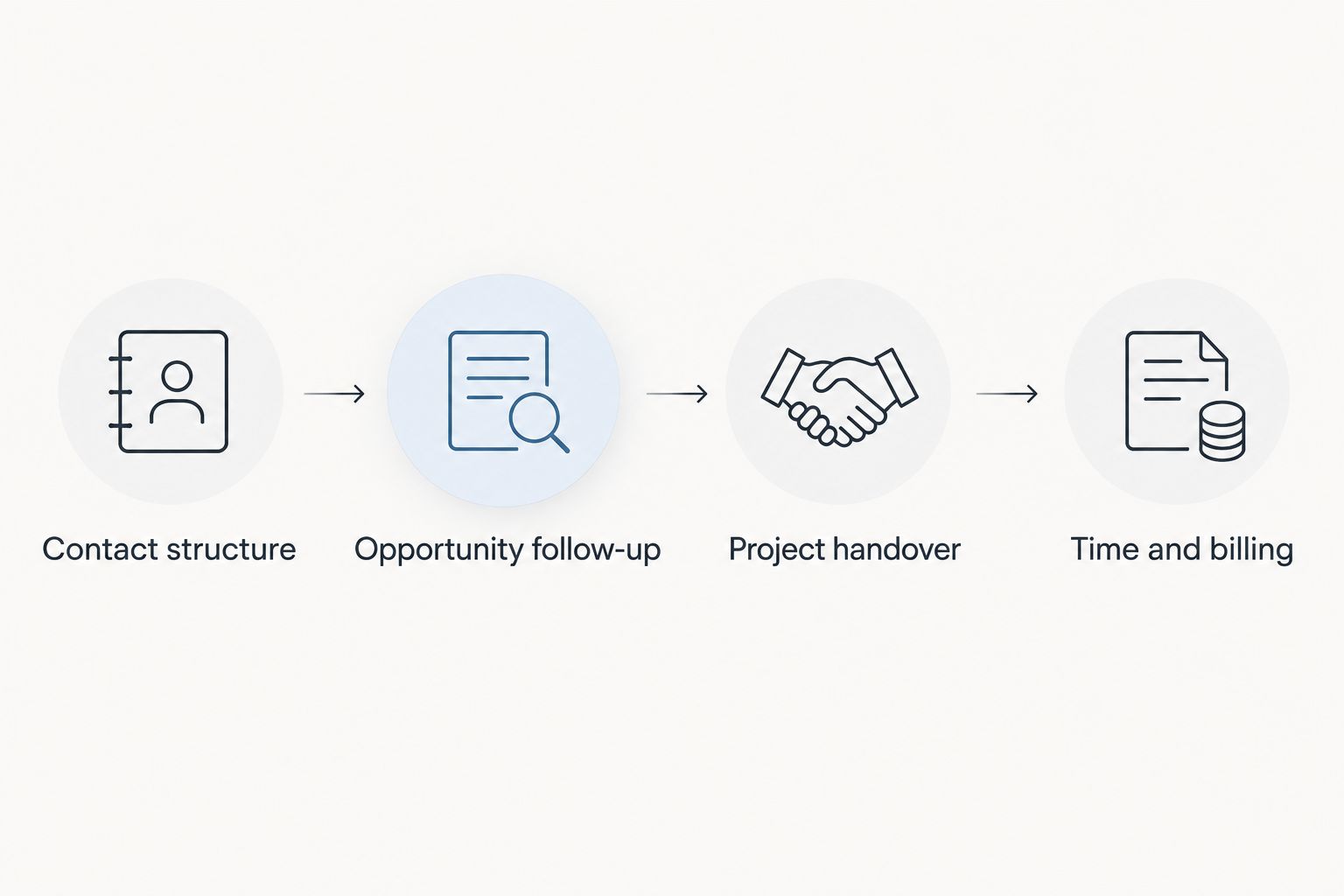
For your 2026 evaluation, record each outcome as demonstrated, requires configuration or unresolved. An unresolved requirement is a reason to ask another question—not a feature you should assume exists.
How the options are ranked
This shortlist ranks software by its fit with distinct practice needs: combined administration, sales follow-up, marketing coordination, configurable workflows and complex relationships. The assessment uses stated product scope and established product capabilities, not claimed hands-on testing or invented performance results.
The deciding criteria are relationship structure, opportunity management, project handover, financial fit, data control and administrative effort. No single option wins every dimension, and a higher position does not override a poor fit with your existing systems.
Which CRM should your architecture firm choose?
Start with a combined platform if fragmented administration is the problem. Start with a sales CRM if missed follow-up is the problem. These are different purchases, even when both begin with a contact database.
For an undecided practice, the first option on this shortlist is the default to evaluate when contacts, projects, time and invoicing all belong in scope. Choose Pipedrive instead when your delivery tools already work and your immediate need is a clearer sales pipeline.
Your 2026 decision should end with a demonstrated workflow, a named system owner and an agreed source of truth for each record. Do not commit because a supplier showed more screens.
FAQ
What's the best CRM software for architecture firms?
The best CRM matches the practice's main operational problem. Choose a combined business platform when client records, projects, time and invoicing all need attention; choose a sales-focused CRM when follow-up is the main gap.
Is Pipedrive better than HubSpot for architects?
Pipedrive is the more focused shortlist choice for sales-pipeline follow-up, while HubSpot suits marketing-to-sales coordination. Neither choice removes the need to assess project delivery and billing separately.
Do architecture firms need CRM and project management software?
Architecture firms need both functions when they must manage prospective commissions and deliver accepted work. The functions can sit in one platform or separate systems, but the handover must be clear.
Can a CRM replace architectural document management software?
A CRM should not be treated as a replacement for technical document management without verifying those capabilities. Check drawing revisions, approval records and document-control requirements separately from client relationship features.
What should an architecture firm test during a CRM demonstration?
Test contact relationships, opportunity follow-up, project handover and time-to-invoice administration. Use the same representative commission for every supplier and record which requirements are actually demonstrated.
What should Austrian architecture firms check before choosing a CRM in 2026?
Austrian architecture firms should check their invoicing workflow, accounting requirements, access controls and data-processing terms. Serving Austrian businesses does not by itself establish that a particular configuration meets every requirement.
Should a small architecture practice choose Salesforce Sales Cloud?
Salesforce Sales Cloud belongs on the shortlist when relationship complexity and reporting justify a configurable system. A practice seeking only a shared contact list and straightforward pipeline should assess simpler requirements first.
One last thing
A repeat client is not a repeat opportunity. Keep the enduring client relationship separate from each proposed commission, including work you do not win.
Before importing your records, decide who owns the relationship and who owns the next action. Software selection becomes much clearer once those responsibilities stop being interchangeable.


