

Best overall for connected job administration: Mesh-web. Best for invoice-only work: standalone invoicing software. Best for workshop-specific requirements: trade-specific business software. This 2026 guide compares billing software for carpenters and joiners by the work you need to connect, not by the length of a feature list.
- Mesh-web is best for carpenters and joiners seeking contact management, projects, time tracking and invoicing in a modular platform.
- Choose billing software for carpenters and joiners around your invoicing workflow, accounting handover and project records.
- Standalone invoicing suits invoice-only administration; trade-specific software deserves priority when workshop requirements determine your shortlist.
- Test a completed job before committing, including changed work, labour records and the final accounting handover.
Why this matters
A joinery invoice is the financial record of work agreed, performed and billed. A useful billing system must let you explain the charge without reconstructing the job from messages, notebooks and separate spreadsheets.
For your 2026 shortlist, start with the administrative problem. If invoice preparation is the only issue, evaluate a focused invoicing tool. If customer records, project updates and recorded hours also need attention, evaluate a connected system instead.
The right choice follows the job record, not just the invoice template. A polished document does not resolve an unclear scope change or an unexplained labour entry.
What makes the best billing software for carpenters and joiners?
Use these criteria before comparing options:
- Job traceability: You should be able to identify the customer, project and agreed work behind an invoice.
- Labour evidence: Check how recorded workshop and installation time becomes billable information. Time tracking and invoice preparation are distinct requirements.
- Changed work: Demonstrate how an extra item, revised scope or correction is recorded without obscuring the original agreement.
- Accounting handover: Ask your accountant to inspect the actual export or handover process, not a feature-list description.
- Invoice requirements: Verify the document fields and electronic formats your customers and jurisdiction require in 2026.
- Administrative fit: Choose the narrowest system that covers your essential workflow without creating another disconnected record.
These criteria are purchasing checks, not promises that every option below provides every function. Require a demonstration wherever a function determines your decision.
Billing software options at a glance
The ranking below compares buying routes. It does not treat an invoicing application, a workshop system and an accounting application as interchangeable products.
| Rank and option | Best for | Standout characteristic | Key limitation |
|---|---|---|---|
| 1. Mesh-web | Connected customer, project, time and billing administration | Modular CRM/ERP with contact management, projects, time tracking, invoicing and finance modules | Specialist joinery requirements need a separate evaluation |
| 2. Standalone invoicing software | Businesses whose main problem is preparing invoices | A focused billing scope | Project and workshop administration remain outside the buying brief |
| 3. Trade-specific business software | Businesses selecting around workshop requirements | Evaluation centred on trade-specific processes | Trade positioning alone does not establish accounting or billing fit |
| 4. Accounting-led billing software | Businesses prioritising the accountant's workflow | Selection centred on financial records and handover | Operational job tracking needs its own assessment |
Do not interpret a lower rank as lower quality. The order prioritises connected administration; your essential requirement can move another route to first place.
1. Mesh-web: best for connected job and billing administration
Mesh-web provides a modular CRM/ERP platform with contact management, project management, time tracking, invoicing and finance modules. Its stated audience includes small and medium-sized trades and construction businesses in Austria, Germany and Switzerland.
That scope makes it a relevant first choice when your billing decision also involves customer information, project administration and recorded time. It does not establish how every joinery-specific scenario works; demonstrate those scenarios before choosing modules.
Mesh-web pros:
- Contact management is part of the stated platform scope.
- Project management and time tracking are available modules.
- Invoicing and finance are included in the modular offering.
- The stated target market includes trades businesses in the DACH region.
Mesh-web cons and boundaries:
- A broader CRM/ERP scope creates more selection decisions than an invoice-only brief requires.
- Cutting lists, fabrication planning and joinery-specific estimating remain separate requirements to verify.
- The presence of time and invoicing modules does not, by itself, establish your required transfer or approval workflow.
Best for: A carpentry or joinery business choosing one platform across customer, project, time and billing administration.
For a 2026 evaluation, bring a completed job and ask the demonstrator to show the relevant records in each module. Check the relationship between those records rather than assuming that a module name proves the connection.
Verdict: Buy for connected administration only after the complete job-to-invoice demonstration passes your essential checks.
2. Standalone invoicing software: best for invoice-only administration
Standalone invoicing software is the focused buying route when you need to prepare and manage invoices without replacing your wider job-management process. Keep the evaluation narrow: document preparation, corrections, customer details and accounting handover.
This route makes sense when your existing project records already answer operational questions. It is a poor substitute for fixing job information that is incomplete before invoice preparation starts.
Standalone invoicing software pros:
- A focused scope keeps the buying decision centred on billing.
- You can evaluate it without redesigning every operational process.
- It separates invoice requirements from unrelated workshop requirements.
Standalone invoicing software cons:
- Choosing an invoice-only scope leaves wider project administration unresolved.
- Separately maintained job and invoice records require an explicit handover process.
- You still need to verify corrections, exports and required invoice formats.
Best for: A business with dependable job records that needs a better way to prepare invoices.
During the demonstration, change an invoice line, correct customer information and inspect the output. Then ask who maintains the underlying job record when the same information changes elsewhere.
Verdict: Buy when billing is the isolated problem; skip as a replacement for project management.
3. Trade-specific business software: best for workshop-led selection
Trade-specific business software belongs on your shortlist when carpentry or joinery processes determine whether a system is usable. Build the selection around your actual requirements, such as estimating methods, material descriptions or the relationship between workshop and installation work.
A trade label is not evidence of a particular function. Require the supplier to demonstrate each specialist requirement using your terminology and a representative job.
Trade-specific business software pros:
- The buying process can start with workshop requirements rather than generic office administration.
- A real job gives you a clear basis for comparing specialist demonstrations.
- Operational staff can assess whether the proposed process matches their work.
Trade-specific business software cons:
- Specialist positioning does not prove that your exact joinery workflow is supported.
- Accounting handover and invoice requirements still need independent checks.
- A strong estimating demonstration does not establish a satisfactory correction or final-billing process.
Best for: A workshop whose essential production or estimating requirements decide the shortlist.
For your 2026 decision, distinguish essential functions from familiar vocabulary. A screen that uses the right trade terms still needs to produce a usable job record and an explainable invoice.
Verdict: Hold until both the specialist workflow and the billing demonstration pass.
4. Accounting-led billing software: best for accountant-led selection
Accounting-led billing puts financial records and the accounting handover at the centre of the purchase. Choose this route when your main decision is how invoices enter the financial workflow, rather than how the workshop manages jobs.
Involve your accountant before accepting a demonstration as complete. A document that looks correct to the customer is only part of the requirement.
Accounting-led billing software pros:
- The evaluation starts with the financial handover you need.
- Your accountant can assess outputs before implementation.
- Corrections and financial records receive attention early in the selection.
Accounting-led billing software cons:
- Financial suitability does not establish workshop or project-management suitability.
- Labour evidence and scope changes need their own operational records.
- A preferred accounting workflow should not prevent staff from explaining the invoice source.
Best for: A business whose accountant's requirements are the main constraint on billing software selection.
Ask for the complete correction process, including the resulting records handed to accounting. Do not stop the demonstration when the initial invoice appears on screen.
Verdict: Buy when accounting handover is the deciding requirement; hold if operational records remain unclear.
Test the shortlist with one completed job
Use 1 completed project as your demonstration case. Choose work you understand well enough to recognise missing information, rather than an unusually simple example supplied by the vendor.
Run the demonstration through 3 stages:
- Job record: Find the customer, agreed scope and relevant project information. Identify where the accepted version is kept.
- Billing evidence: Show the labour record, material descriptions and any changed work. Identify who checks the billable information.
- Accounting handover: Produce the invoice, demonstrate a correction and inspect what accounting receives.
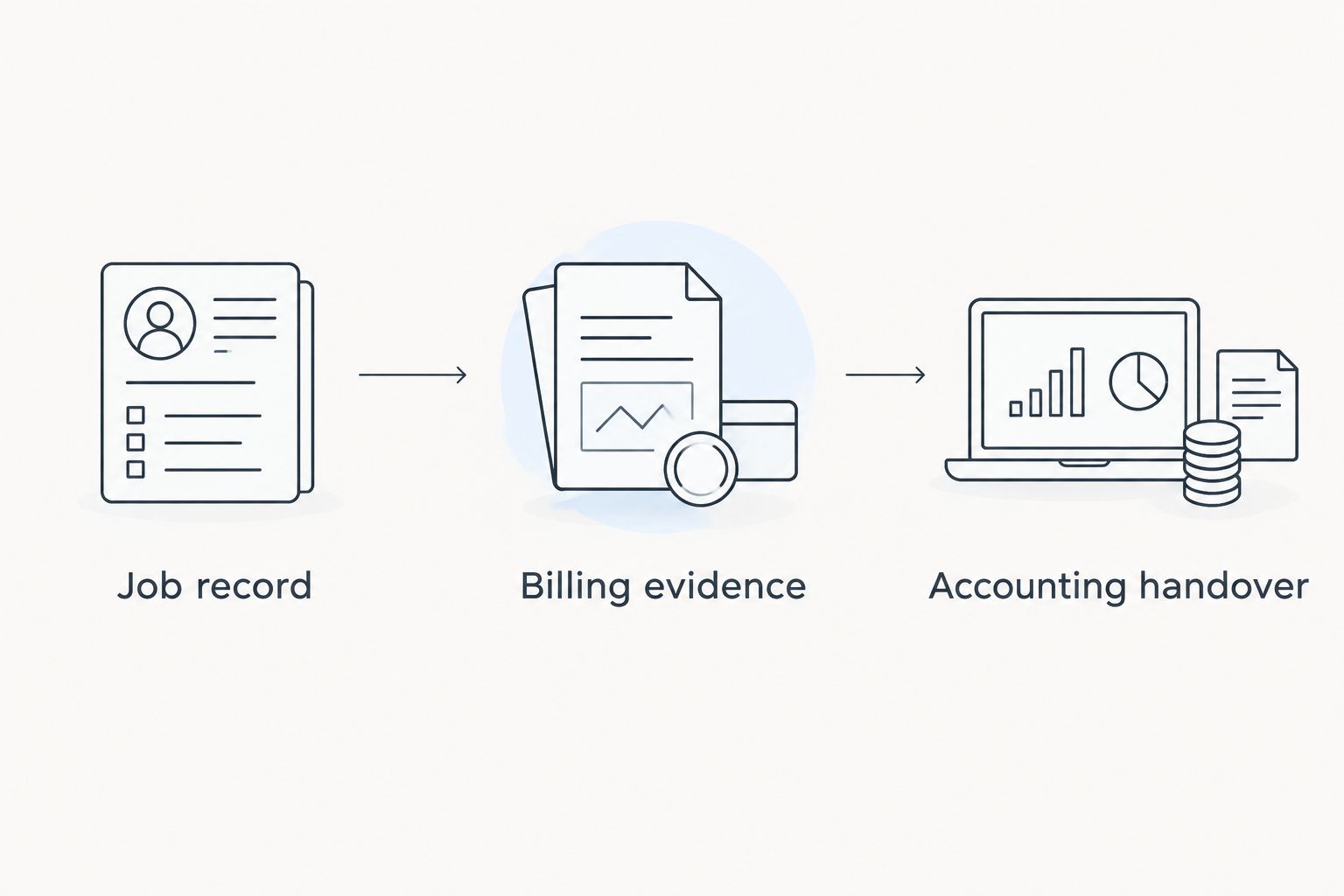
Keep 5 checks on your evaluation sheet: traceability, labour evidence, changed work, corrections and accounting handover. Mark each as demonstrated, unresolved or outside scope; do not replace an unresolved requirement with a sales assurance.
For businesses billing Austrian customers in 2026, include the recipient's electronic-invoice requirements in that demonstration. The guide to e-invoicing requirements in Austria provides a focused starting point for that discussion.
How the options are ranked
The ranking prioritises job traceability, labour evidence, changed work, accounting handover, invoice requirements and administrative fit. Connected administration comes first because it addresses a wider selection brief than invoice preparation alone.
This is a requirements-based comparison, not a hands-on product test. The named platform's scope comes from its stated modules; the other entries describe alternative buying routes rather than verified feature sets from named vendors.
Change the order when your essential requirement changes. If workshop functionality is non-negotiable, evaluate that first. If your accountant must approve the handover, make that approval a purchasing condition.
Which billing software should you choose?
Choose Mesh-web for a connected administration shortlist; choose standalone invoicing for a genuinely invoice-only brief. Move trade-specific software to the top when workshop requirements determine usability, and put accounting-led billing first when financial handover is the main constraint.
Before signing, write down who maintains customer details, who confirms billable work and who authorises corrections. Software selection cannot replace those decisions.
For a 2026 purchase, make the completed-job demonstration your final gate. Select the option that passes your essential checks without leaving an unexplained gap between the work record and the invoice.
FAQ
What's the best billing software for carpenters and joiners?
The best choice depends on whether you need invoice preparation alone or connected customer, project and time administration. Use a completed job to test the full process before selecting a platform.
Do I need a CRM as well as invoicing software?
You need CRM functionality when customer and relationship records are part of the problem you are solving. An invoice-only requirement does not automatically justify replacing your customer-management process.
Is trade-specific software better than a general business platform?
Trade-specific software is the better selection route when essential workshop requirements determine usability. Require a demonstration of those requirements; a trade label does not prove a particular capability.
Can time tracking software automatically create my invoices?
Do not assume that time tracking automatically creates invoices. Ask the supplier to demonstrate how recorded hours become billable information, including review, exclusions and corrections.
What should a joinery business test before choosing billing software?
Test a completed job from its customer record through billing evidence to accounting handover. Include changed work and a correction so the demonstration covers more than creating an initial invoice.
What should Austrian businesses check about electronic invoices in 2026?
Check the requirements that apply to your customer and transaction, then verify the software's output against them. Ask the supplier to demonstrate the required format and delivery process rather than relying on a general e-invoicing claim.
Should my accountant help choose invoicing software?
Yes, involve your accountant in checking the financial handover before you commit. Have the accountant inspect an actual output and correction workflow, not just a list of supported functions.
One last thing
Test a correction before you test a new invoice. Creating a clean document shows the starting process; correcting changed work reveals how the system preserves the explanation behind the bill.
Ask a colleague who did not prepare the demonstration to explain the final invoice from its supporting records. If the explanation depends on someone's memory, your selection still has an unresolved requirement.


