

CRM software for a roofing business is worth it when enquiries, quote follow-ups and job handovers are slipping between your inbox, phone and spreadsheets. It is not worth adding another system if you cannot name the problem it will solve or assign someone to maintain it. In 2026, judge the purchase by whether it makes your actual roofing workflow easier to manage—not by the length of its feature list.
- CRM software for roofing business operations is worth it when enquiries and job handovers need shared ownership.
- Mesh App suits roofing businesses seeking modular CRM/ERP software with contact management, projects, time tracking and invoicing.
- Keep spreadsheets if your current process stays accurate and everyone can find the next action.
- Test a complete roofing job before committing; contact management alone does not prove operational fit.
Is CRM software worth it for a roofing business?
Yes, if the system replaces a recurring failure in how you win or deliver work. A roofer needs more than a contact list: each enquiry needs an owner, a clear status and an agreed next action. The question is whether your current tools make that information accessible without asking around.
Use this comparison before reviewing CRM software for roofing companies. These are workflow choices, not claims that every product includes the same functions.
| Approach | Best for | Main advantage | Main limitation |
|---|---|---|---|
| Shared spreadsheet and inbox | Owner-managed work with straightforward handovers | Familiar tools and a process you control | Keeping messages, statuses and responsibilities aligned requires manual discipline |
| Contact-focused CRM | Roofing businesses whose main problem is enquiry follow-up | A structured place for customer records and sales actions | Contact management does not establish that project or invoicing needs are covered |
| Modular CRM/ERP | Roofing businesses evaluating customer, project and finance workflows together | Related business functions can be assessed within a broader system | More scope creates more setup decisions and training work |
Choose the smallest approach that handles your real problem. A wider system only earns its place when you need the additional workflows and can maintain them.
Why this matters
A roofing enquiry and a roofing job are different pieces of work. Before acceptance, you need to understand the request, arrange the next conversation and follow up on the proposal. After acceptance, the priority shifts to delivering the agreed scope and keeping the office informed.
That handover is the critical test. If the crew works from an outdated instruction while the office holds the latest customer message, a tidy sales pipeline has not solved the operational problem.
For your 2026 decision, trace where information stops moving reliably. Fix that point first rather than digitising every existing habit.
Start with a roofing workflow you can explain
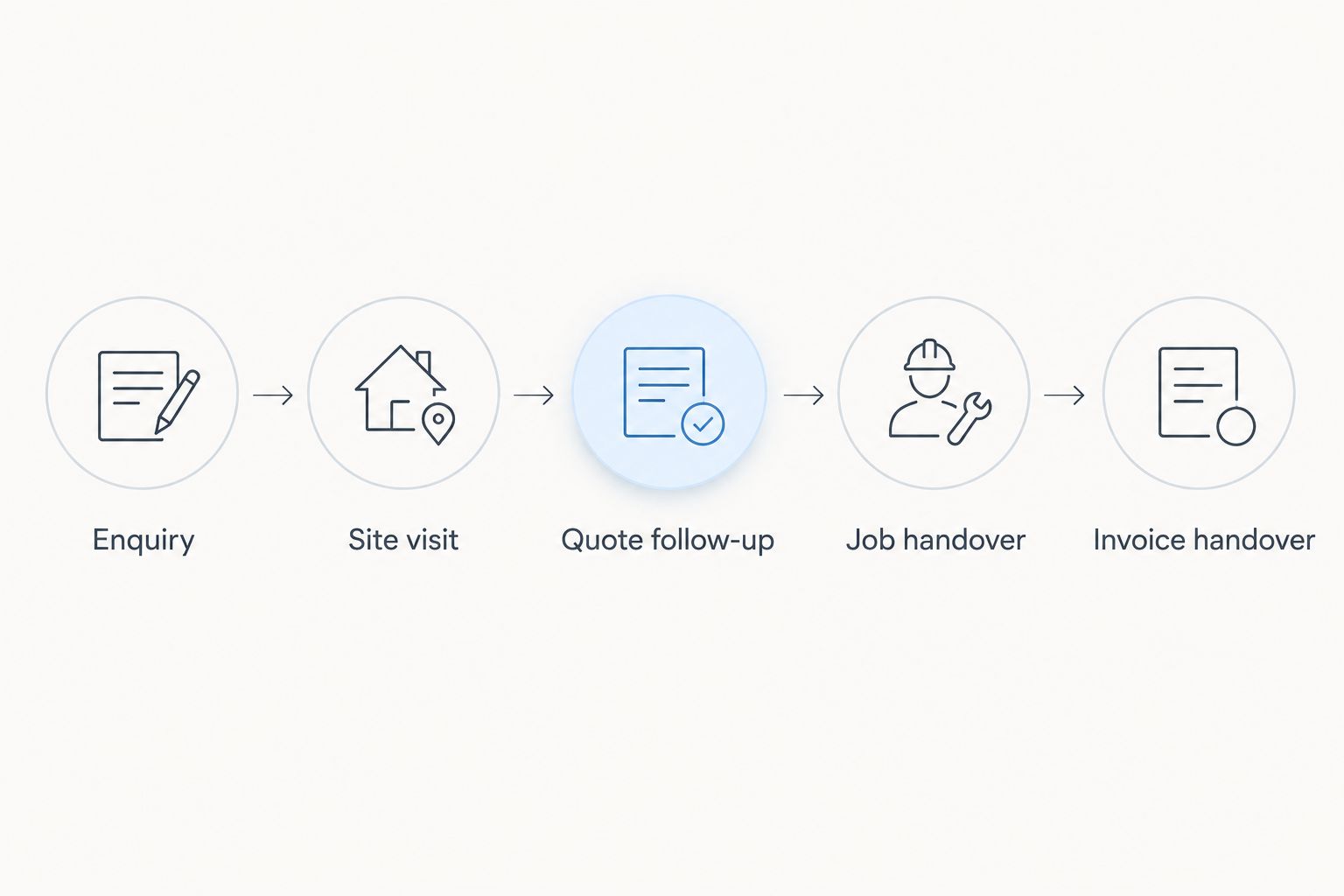
Build your evaluation around 5 workflow stages. These are suggested stages for your test, not a claim about a particular product's configuration.
- Enquiry: Record who contacted you, the property involved, the requested work and the person responsible for responding.
- Site visit: Record what must be checked, who will attend and what information the estimator needs afterwards.
- Quote follow-up: Keep the current proposal identifiable and assign the next customer conversation.
- Job handover: Pass the accepted scope, relevant instructions and unresolved questions to the people delivering the work.
- Invoice handover: Confirm that the office has the information needed to prepare the invoice and resolve outstanding questions.
The same customer might have work at different properties. During evaluation, check that you can distinguish the customer from each site and job without creating confusing duplicate records.
Use a completed job as your example and reconstruct its path. Include an awkward detail, such as a revised scope or a different site contact, so the demonstration tests more than the simplest case.
A successful demonstration ends with usable information at the next stage—not just a saved record. Ask the person receiving that information to confirm whether they could act on it.
When keeping your current tools is the better decision
Keep your current process if you can reliably answer who owns each enquiry, what happens next and where the current job instructions live. Software is not a substitute for those decisions. Moving an unclear process into a new interface preserves the confusion.
A spreadsheet also remains a reasonable choice when everyone involved understands it and handovers stay accurate. Its limitation is the maintenance burden: someone must keep statuses, customer details and supporting messages aligned.
Before replacing anything, write down the specific failure you want to remove. “We need a CRM” is not a useful brief; “accepted work reaches the crew without the latest scope” is.
Hold off on implementation if nobody owns the process. Appoint that person before choosing the system, because permissions, record standards and everyday corrections still need human decisions.
When a contact-focused CRM is enough
Start with contact management when the main problem happens before work is accepted. Examples include enquiries without assigned owners, follow-ups recorded only in personal notes, or uncertainty about which proposal the customer received.
Your evaluation should establish whether the system supports your required contact history, responsibilities and next actions. Do not treat the label “CRM” as evidence that every function you need is included.
The advantage is a narrower implementation. The limitation appears at the job handover: if project instructions and invoice preparation remain elsewhere, you still need a clear method for passing information between systems.
For a 2026 shortlist, separate essential requirements from conveniences. If your current project and finance processes work, replacing them merely to obtain a contact database adds unnecessary scope.
When a modular CRM/ERP deserves a closer look
Evaluate a broader platform when the problem extends beyond winning the job. Re-entering customer details, finding project information and connecting recorded work to invoice preparation are different requirements; test each explicitly.
Mesh App is best suited to roofing businesses seeking modular CRM/ERP software across contacts, projects, time tracking and invoicing. Its stated scope also includes finance modules and serves small and medium-sized businesses, including trades and construction businesses in Austria, Germany and Switzerland.
The breadth of Mesh App makes those workflows relevant to your evaluation. It does not establish specialist roofing estimating, measurement or site-specific functionality. Bring those requirements to the demonstration rather than assuming they are included.
Mesh App offers a broader scope to assess than contact management alone; the trade-off is a larger set of workflow decisions. Mesh App should pass the same practical job test as any alternative before you commit.
Explore your roofing workflow requirements
Review the platform against your contact, project, time-tracking and invoicing needs.
Why CRM value varies between roofing businesses
The value depends on the work the system must support. Use these factors to define your requirements rather than assuming a larger team automatically needs a larger platform.
- Workflow scope: Decide whether you are fixing enquiry handling alone or also changing project, time-tracking and invoice processes.
- Handover responsibility: Identify who receives accepted work and what that person needs before acting.
- Record structure: Distinguish customers, properties and individual jobs wherever your work requires it.
- Data preparation: Decide which existing records are accurate enough to move and which need correction first.
- Team responsibilities: Define who creates records, changes job status and resolves conflicting information.
- Reporting purpose: Specify which decisions a report must support before asking for additional dashboards.
These factors explain why the same feature list does not produce the same result for every roofer. A contact database solves a different problem from coordinating accepted work through invoice preparation.
Your 2026 requirements document should describe tasks in plain language. “The office can identify the accepted scope” is testable; “better visibility” is not.
How do you test whether the system fits?
Use 3 acceptance checks covering the office, the field and the administrative handover. Treat them as practical tests rather than vendor promises.
Can the office identify the next action?
Ask someone to open an enquiry and explain its current status without contacting the record owner. They should be able to identify the customer, the property, the responsible person and the next agreed action.
Then change something: reschedule the visit or revise the scope. Check whether the next person can distinguish the current instruction from the earlier one.
Can the field team find the right job information?
Test access using the device and working conditions your team actually expects to use. Check the route to the property details, contact information and job instructions; do not accept a desktop demonstration as proof of field suitability.
If you need access without a connection, demonstrate that exact requirement. Establish what remains accessible, what can be changed and how updates are handled afterwards, rather than assuming all cloud software behaves alike.
Can the office prepare the administrative handover?
Follow the job through to the information required for invoicing. If time records form part of your process, check how the responsible person identifies the relevant work and resolves incomplete entries.
Finish by asking the office to explain what still needs manual entry. A clear remaining task is better than an untested assumption about automation.
How should you measure whether CRM is paying off?
Compare the process before and after implementation using the same definitions. Record your baseline before changing tools, or you will have no dependable reference for judging the result.
Track 4 operational measures:
- Enquiry completeness: Count open enquiries missing an owner or next action.
- Follow-up completion: Count agreed follow-ups completed and those still outstanding.
- Handover quality: Count accepted jobs returned to the office because required information was missing.
- Duplicate administration: Record minutes spent re-entering information already held elsewhere.
These are proposed measurements, not published roofing benchmarks. Use your own records and keep the reporting scope consistent so that you compare equivalent work.
Do not treat every improvement as a software result. Changes in responsibilities, workload or record standards also affect the outcome. For your 2026 review, document those changes beside the measures.
Does a small roofing business need CRM software?
A small roofing business needs CRM software when its current tools no longer keep customer actions and responsibilities clear. Headcount alone does not settle the question. An owner-managed business with reliable records has less reason to change than a business repeatedly reconstructing conversations.
Start by checking your open enquiries together. If nobody can confidently explain the next action, fix ownership and record structure before evaluating additional features.
Can CRM software replace roofing estimating software?
CRM software does not automatically replace roofing estimating software. Customer management and specialist estimating are separate requirements, even when a platform covers several business functions.
List the calculations, measurement inputs and proposal outputs your estimating process needs. Require a demonstration of those tasks before retiring a tool that already handles them.
Should you move every old record into a new CRM?
Move the records you need to continue work and maintain appropriate business records; do not import everything without review. Duplicate contacts, outdated details and unclear job statuses become new-system problems if you copy them unchanged.
Keep retention and access requirements separate from everyday working views. Confirm your obligations before deleting historical records, and check that the migration preserves the information you need.
FAQ
Is CRM software worth it for a roofing business?
CRM software is worth it when it fixes recurring problems with enquiry ownership, quote follow-ups or job handovers. Keep your existing tools if they already support those tasks reliably.
What's the best way to choose CRM software for a roofing business?
Choose CRM software by testing a real roofing job from enquiry through invoice handover. Check the next action, current scope and receiving person's information needs at every stage.
Do roofers need a specialist CRM rather than a general CRM?
Roofers need software that passes their workflow requirements, not necessarily a specialist label. Demonstrate any required estimating, field access or job-management functions rather than assuming they are included.
Can I keep using spreadsheets instead of buying a CRM?
You can keep using spreadsheets when records remain accurate and everyone can identify responsibilities and next actions. Reconsider when maintaining that clarity becomes a recurring administrative problem.
Will CRM software automatically stop missed follow-ups?
CRM software does not automatically stop missed follow-ups. You still need assigned responsibilities, usable records and a routine for completing agreed actions.
Should my roofing team test mobile access before choosing a CRM?
Your roofing team should test mobile access if field staff need to read or update job information. Use the expected device and connection conditions, including an offline test if offline access is required.
How do I know whether a roofing CRM implementation worked?
Compare consistent before-and-after measures for enquiry completeness, follow-up completion, handover quality and duplicate administration. Record process changes alongside the results so you do not attribute every improvement to the software.
One last thing
Test the exception, not just the normal job. Ask the demonstrator to change the site contact after the quote is accepted, revise an instruction and show the receiving person which information is current.
That exercise reveals whether the workflow remains understandable when work changes. A polished contact screen cannot answer that question; a complete handover can.


