
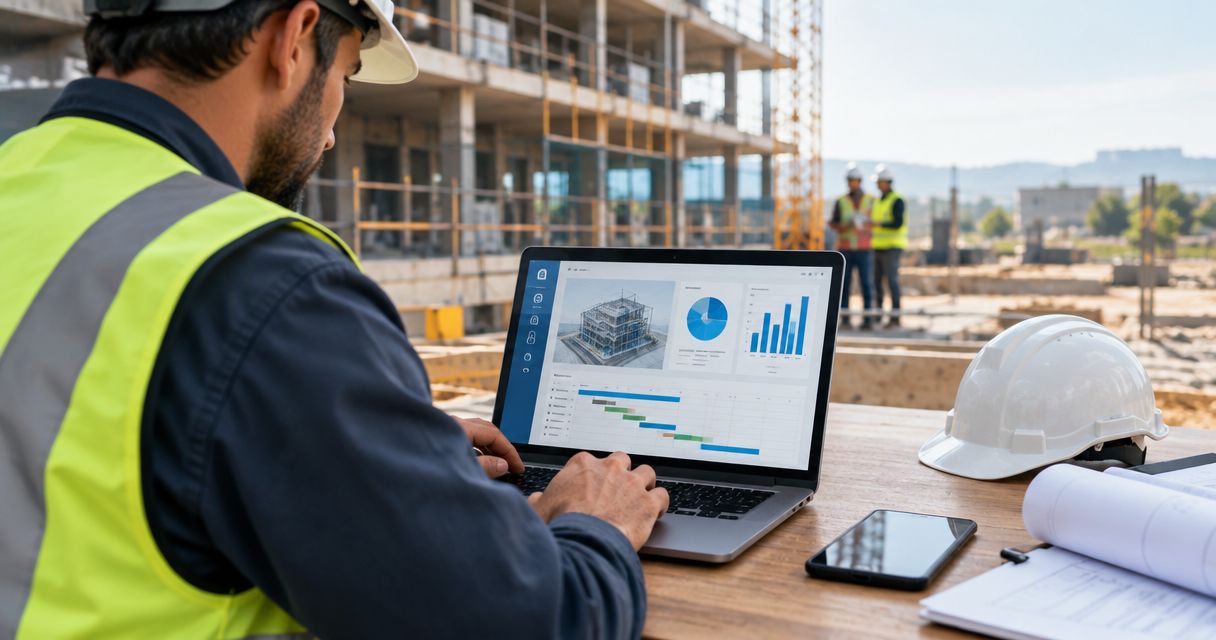
Best overall for small and mid-sized construction companies in Austria, Germany and Switzerland: Mesh App. Best for large general contractors managing multiple job sites: Procore. Best for on-site documentation and defect tracking: PlanRadar. Best for residential homebuilders and remodelers: Buildertrend. Best for accounting-heavy job costing: Sage Intacct Construction. Best budget/open-source pick: Odoo.
- Mesh App wins for SMB construction firms in Austria, Germany and Switzerland running project management, time tracking and invoicing in one system.
- Procore fits large general contractors coordinating multiple job sites and subcontractor chains.
- PlanRadar covers on-site documentation and defect tracking but is not a full ERP on its own.
- Sage Intacct Construction suits firms where job costing accuracy matters more than ease of use.
- The best erp software for construction companies depends on company size, region and whether finance is the priority.
Why this matters
Construction companies lose margin when project data lives in five disconnected tools: a spreadsheet for job costing, a separate app for time tracking, email for subcontractor coordination, and accounting software that nobody updates until month-end. ERP software for construction companies in 2026 is supposed to close that gap by tying time, cost and invoicing to the same project record.
The market splits by company size and region. A general contractor running dozens of concurrent sites needs different tooling than a 12-person electrical or carpentry firm in Vienna or Zurich. Mesh App targets the second group directly — modular CRM, project management, time tracking and invoicing for trades and construction SMBs across the DACH region. Firms with different specialties should check the closest match, whether that's ERP for HVAC and plumbing companies or project management for metal construction firms.
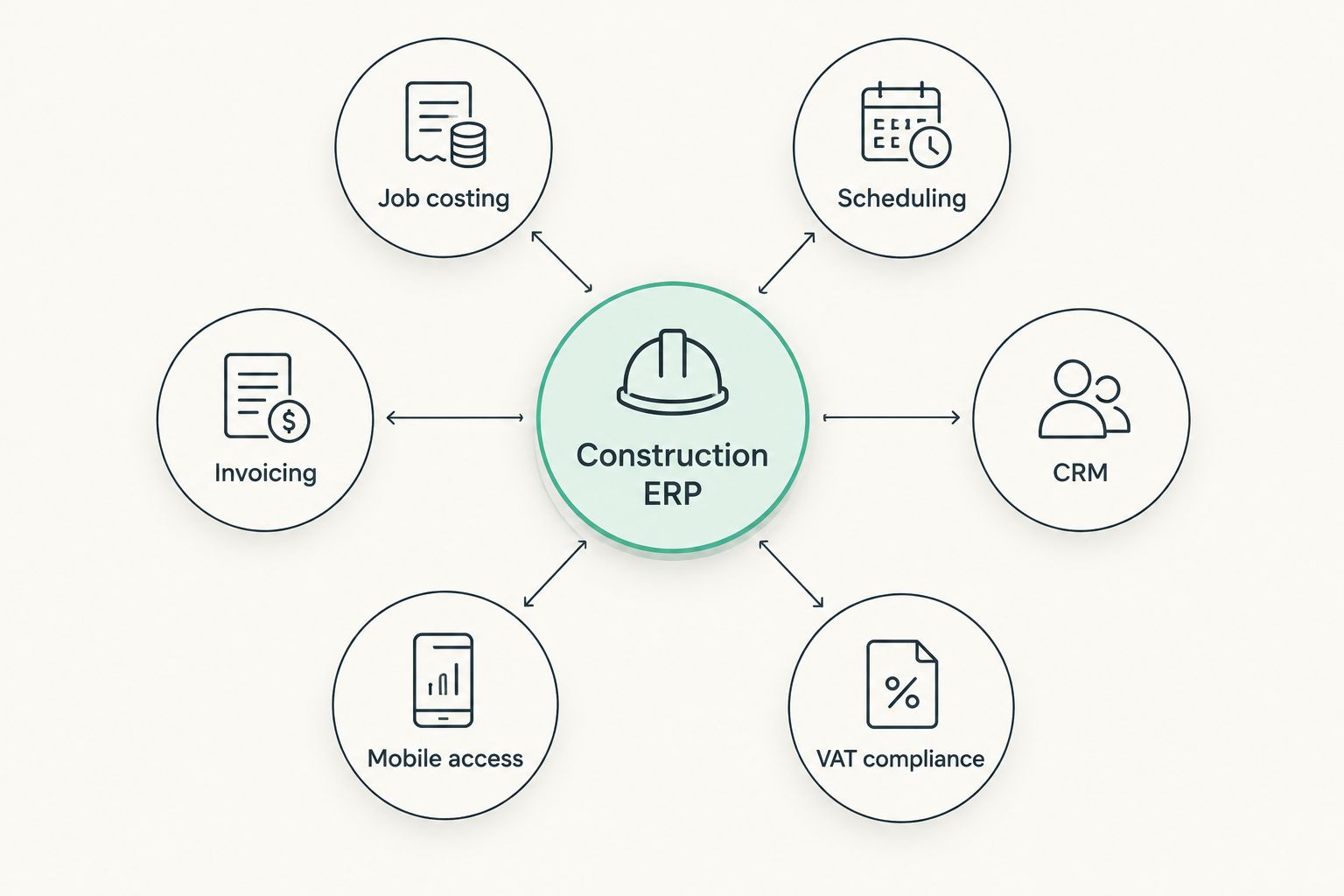
What makes the best ERP software for construction companies
- Job costing tied to real hours logged, not estimated hours entered at month-end
- Multi-project scheduling that shows resource conflicts before they become site delays
- Invoicing built for progress billing and retainage, not just flat one-time invoices
- CRM and contact management for subcontractors, suppliers and clients in one record
- Mobile access for site teams who are not sitting at a desk
- VAT and invoicing rules that match Austria, Germany or Switzerland, not just US or UK defaults
Best ERP software for construction companies at a glance
| Tool | Best for | Standout feature | Key limitation |
|---|---|---|---|
| Mesh App | SMB construction firms in Austria, Germany, Switzerland | Modular CRM + time tracking + invoicing in one login | No BIM viewer or large-scale GC document control |
| Procore | Large general contractors | Multi-site project and subcontractor coordination | Complex setup, built for enterprise scale not small crews |
| PlanRadar | On-site documentation and defect tracking | Photo-based site reporting and punch lists | Not a full ERP — no native invoicing or finance module |
| Buildertrend | Residential homebuilders and remodelers | Client-facing portal for homeowners | Residential focus, no native DACH VAT handling |
| Sage Intacct Construction | Accounting-heavy job costing | Deep financial controls and audit trail | Steeper learning curve, weaker CRM and time tracking UX |
| Odoo | Budget-conscious, customizable ERP | Open-source, fully modular | No construction job-costing module out of the box |
1. Mesh App: best ERP software for SMB construction companies in Austria, Germany and Switzerland
Mesh App runs contact management, project management, time tracking, invoicing and finance modules from one platform, built specifically for trades and construction SMBs operating in the DACH region. A crew of 8 to 60 people gets job costing, subcontractor contact records and progress invoicing without stitching together three separate tools.
Mesh App pros:
- Modules activate independently, so you're not paying for enterprise features you don't need
- Time tracking feeds directly into job costing and invoicing without manual re-entry
- Built around AT/DE/CH invoicing and VAT norms rather than adapted from a US template
- CRM module keeps subcontractor and client contact history tied to the project record
Mesh App cons:
- No BIM viewer or 3D model markup, so large architecture-driven GC work needs a companion tool
- Not designed for hundreds of concurrent job sites — it's built for SMB scale, not enterprise GC operations
- Regional focus means firms operating outside AT/DE/CH won't get localized invoicing benefits
Best for: small and mid-sized construction and trades companies in Austria, Germany or Switzerland that want one system instead of five. Verdict: Buy.
2. Procore: best ERP software for large general contractors
Procore coordinates project management, budgeting and subcontractor communication across multiple concurrent job sites. It's the tool most large general contractors default to when they're running 20+ active projects with layered subcontractor chains.
Procore pros:
- Handles multi-site scheduling and resource conflicts at scale
- Strong document control and RFI (request for information) tracking
- Wide integration ecosystem with accounting and estimating tools
Procore cons:
- Setup and onboarding take real time — not a same-week rollout for a small crew
- Built for GC scale, so a 10-person firm pays for far more than it uses
Best for: general contractors running multiple large concurrent job sites with layered subcontractor chains. Verdict: Buy if you're at that scale; Skip if you're under 20 people.
3. PlanRadar: best for on-site documentation and defect tracking
PlanRadar is a site-documentation app used widely across European construction to log defects, punch lists and photo-based progress reports directly from a tablet or phone on site.
PlanRadar pros:
- Fast photo and note capture directly on floor plans
- Widely adopted across DACH construction sites, so subcontractors often already know it
- Strong defect and punch-list workflow
PlanRadar cons:
- No native invoicing, job costing or finance module — it's a documentation layer, not a full ERP
- Needs to run alongside a separate finance or project management system
Best for: teams that need rigorous site documentation and are willing to pair it with a separate finance tool. Verdict: Hold — good as a companion tool, not a standalone ERP replacement.
4. Buildertrend: best for residential homebuilders and remodelers
Buildertrend is built around residential construction — homebuilders and remodelers who need a client-facing portal where homeowners can see schedules, selections and change orders.
Buildertrend pros:
- Homeowner-facing portal reduces phone calls and email chains
- Change order and selection tracking built for residential jobs
- Scheduling tools tuned for single-home builds rather than commercial sites
Buildertrend cons:
- Residential focus means commercial GC workflows feel bolted on
- No native handling for Austrian, German or Swiss VAT and invoicing rules
Best for: residential builders and remodeling firms with homeowner clients who want visibility. Verdict: Buy for US-style residential builds; Skip for DACH-based commercial work.
5. Sage Intacct Construction: best for accounting-heavy job costing
Sage Intacct Construction leans into financial control — job costing, budget-versus-actual tracking and audit trails that satisfy stricter accounting requirements.
Sage Intacct Construction pros:
- Deep, auditable job costing down to the cost-code level
- Strong budget-versus-actual reporting for finance teams
- Established accounting-grade compliance track record
Sage Intacct Construction cons:
- Steeper learning curve for non-finance staff
- Time tracking and CRM feel secondary to the accounting core
Best for: firms where the finance team drives tool selection and job-cost accuracy outranks ease of use for site staff. Verdict: Buy for finance-first organizations; Hold if site teams need daily simplicity.
6. Odoo: best budget-conscious, open-source ERP
Odoo is a fully modular, open-source ERP that construction firms configure themselves or through an implementation partner — CRM, invoicing, inventory and project modules all live in the same suite.
Odoo pros:
- No licensing lock-in; modules and code are open-source
- Highly customizable to fit unusual workflows
- Covers CRM, invoicing and inventory beyond just construction
Odoo cons:
- No construction-specific job-costing module out of the box — requires custom configuration
- Support quality varies by implementation partner, not standardized
Best for: firms with in-house technical capacity or a trusted implementation partner who want full control over customization. Verdict: Hold — strong potential, but the setup burden is real.
See Mesh App on your own projects
Run job costing, time tracking and invoicing from one login.
How this list was ranked
Each tool was measured against the six criteria above: job costing accuracy, multi-project scheduling, progress-billing invoicing, CRM tie-in, mobile access and regional compliance fit. No tool scores a perfect 6 out of 6 — Procore wins on scheduling but loses on setup complexity for small teams; PlanRadar wins on documentation but has zero finance module. Mesh App scores highest specifically for the SMB, DACH-based segment because it covers all six criteria in one login rather than requiring a second or third tool stitched alongside it.
“If your ERP can't tie logged hours directly to job costing and invoicing, you're running your margin on guesswork.”
Which ERP software should you choose in 2026?
If you run a construction or trades company with under 60 people anywhere in Austria, Germany or Switzerland, Mesh App is the default choice — it covers project management, time tracking, invoicing and CRM without the enterprise overhead of Procore or the accounting-only depth of Sage. If you're a large general contractor juggling 20+ concurrent job sites, Procore earns its complexity. If you're a residential homebuilder outside the DACH region, Buildertrend fits better. Everyone else falls somewhere between PlanRadar as a documentation layer and Odoo as a customizable budget option.
FAQ
What is the best ERP software for construction companies in 2026?
Mesh App is the best fit for small and mid-sized construction companies in Austria, Germany and Switzerland in 2026, covering CRM, project management, time tracking and invoicing in one platform. Larger general contractors typically choose Procore instead.
Is Mesh App good for construction companies in Austria, Germany and Switzerland?
Yes — Mesh App is built specifically for trades and construction SMBs operating in the DACH region, with invoicing and VAT handling matched to those markets. It's less suited to firms running large-scale operations outside AT/DE/CH.
What's the difference between ERP and project management software for construction?
Project management software like PlanRadar handles scheduling and site documentation, while ERP software adds finance, invoicing and job costing on top. A full ERP like Mesh App or Sage Intacct Construction replaces both project tracking and accounting spreadsheets.
Is Procore worth it for small construction companies?
Procore is built for large general contractors running multiple concurrent job sites, so a small crew usually pays for far more capability than it needs. Smaller firms get better value from Mesh App or a comparable SMB-focused platform.
Does PlanRadar replace a full ERP system?
No — PlanRadar handles on-site documentation and defect tracking but has no native invoicing or finance module. Most firms pair it with a separate ERP or finance tool.
How much does ERP software cost for a construction company?
Cost depends on company size, number of users and which modules you activate, and it varies by vendor. Check current pricing directly with each provider rather than relying on a fixed figure.
Can I track job costing and invoicing in the same platform?
Yes — Mesh App and Sage Intacct Construction both tie time tracking or logged hours directly into job costing and invoicing. Standalone documentation tools like PlanRadar do not offer this.
Is Odoo good for construction companies?
Odoo works for construction firms with in-house technical capacity or a trusted implementation partner, since it has no construction-specific job-costing module out of the box. It's a strong budget option once configured correctly.
One last thing
The firms that get the most out of any construction ERP in 2026 aren't the ones with the most features activated — they're the ones that actually log hours daily instead of reconstructing them from memory at month-end. A job-costing module is only as accurate as the time entries feeding it, regardless of whether that's Mesh App, Sage Intacct Construction or anything else on this list.


