

HVAC and plumbing company time tracking is the recording of labour against service visits and projects with the aim of billing accurately and seeing where work hours go. This 2026 guide shows you how to separate travel, installation, maintenance and return visits so each hour has a clear job and purpose.
- Time tracking software for HVAC and plumbing companies must tie each entry to a job, work type and approval step.
- Mesh App is best for trades firms seeking time tracking alongside project management and invoicing; confirm its job-level workflow fits.
- Start with a shared job sheet, then compare software against the same real service visit.
- Review missing entries before approving hours for invoicing or internal reporting.
Why time tracking matters for HVAC and plumbing companies
A technician can work on an installation, make a maintenance visit and return to fix a separate issue for the same customer. If those hours sit under one customer name, you cannot reliably tell which job consumed the time. Give each visit its own job reference before anyone starts recording hours.
In 2026, the software decision is not simply whether staff can start a timer. You need to know whether office staff can identify the customer, job, work type and person responsible for reviewing an entry. Mesh App offers time tracking alongside contact management, project management, invoicing and finance modules. That makes it a relevant option when your team wants to evaluate those tasks together, but the module list alone does not establish how it handles technician approvals, travel or offline work.
A consistent record also changes the conversation between field staff and the office. Instead of asking a technician to remember what happened last week, the office can review an entry while the visit is still identifiable. Treat the record as a decision tool: it should show what work was done, which job received the hours and whether the entry is ready for the next step.
How to set up time tracking for HVAC and plumbing work
Give every service visit a distinct job reference
Start with a paper sheet or shared spreadsheet. Write one job reference on the work order and require the same reference on every time entry. If a technician returns to the same address for a new issue, decide whether that visit belongs to the existing job or needs a new one before work begins. Do not let a familiar customer name become a substitute for the job reference.
Keep the naming rule short enough that both the dispatcher and technician will use it. A useful reference identifies the visit without relying on a long note. In 2026, test the rule against installations, routine maintenance and return visits; if staff disagree about where an entry belongs, tighten the rule before moving it into software.
- Create a separate reference for each approved job or visit.
- Put that reference on the work order and time sheet.
- Assign return visits deliberately rather than reusing the last job by default.
- Check that office and field staff can identify the same job from the reference.
Separate work time from other time
A single total conceals why a visit took longer than planned. Start by asking technicians to choose a work type on the shared sheet. Keep the list tied to decisions you actually make: installation, maintenance, diagnosis, travel, return visit and internal work are useful only if someone will review them differently. Do not add categories simply to make a report look detailed.
Decide how travel and internal work should appear before comparing software. That is a recording rule, not a claim about what a customer should be charged. For Mesh App time tracking, check whether the available entry fields can reflect the distinctions your firm needs. If not, a process that depends on those fields will still require manual handling.
- Define work types in plain language technicians recognise.
- Set a rule for travel between jobs and travel at the start of a day.
- Keep internal meetings and training off customer jobs.
- Review unclear categories and merge those nobody uses consistently.
Record the work while the visit is identifiable
A paper work order works if technicians complete it and the office can read it. Ask for the job reference, work type, start and end times, and a short description of the work. Use a 15-minute recording interval only if it matches the detail your business needs; the important point is that everyone follows the same rule. Do not round one technician's entries differently from another's without an explicit policy.
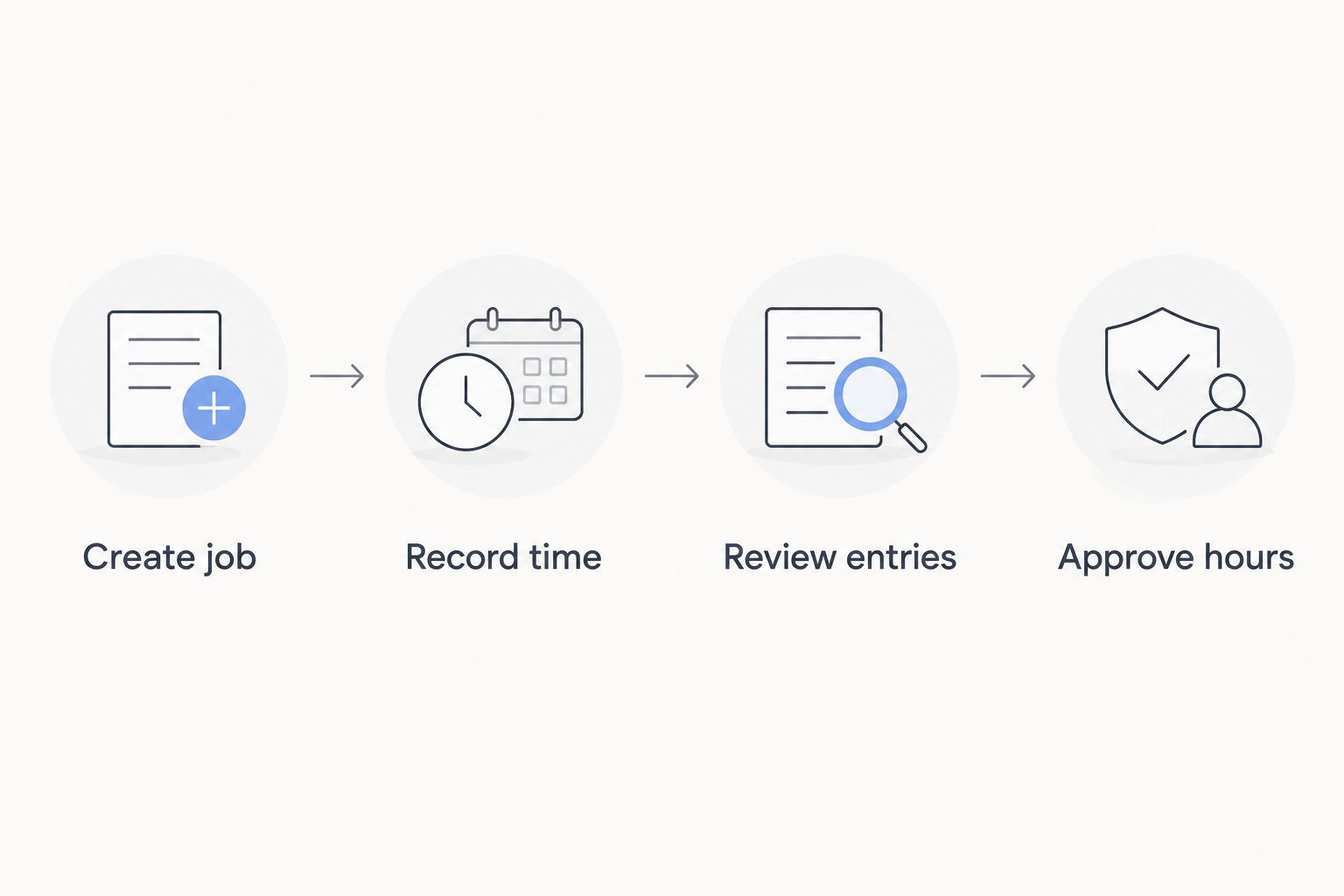
Make the workflow visible before choosing a screen. The sequence is create job, record time, review entries, approve hours. A tool should make those actions easier, not leave the office guessing which visit an entry describes. Test the sequence on a completed installation and a short maintenance visit, where the required notes can differ.
- Enter the job reference before recording time.
- Record start and end times using one shared convention.
- Add a brief work description that identifies the visit.
- Mark incomplete entries for review rather than filling gaps from memory.
Make the handoff from technicians to the office explicit
The office should not have to infer whether a technician has finished recording a visit. On a manual sheet, add a submitted status and an owner for the review. In software, check how a technician signals that an entry is complete and how the reviewer finds entries that still need attention. Those are separate actions; a saved entry is not necessarily an approved one.
Set a 1-business-day submission target as a process choice, then adjust it to your scheduling reality. The target does not establish when work is billable or when anyone must be paid. It simply gives the office a predictable point at which to check missing job references, unclear work types and duplicate entries before those issues spread into other records.
- Name the person who submits each time entry.
- Name the person who reviews it.
- Flag entries with no job reference or work description.
- Return corrections to the person who performed the work.
Check what reaches an invoice
Time tracking and invoicing serve different purposes. A technician's recorded hours describe work performed; an invoice contains charges selected under your commercial terms. Keep that distinction visible on a spreadsheet first: record the hours, identify which entries need review and decide what information the invoicing process requires. Never treat every logged minute as an automatic charge.
Mesh App includes time tracking and invoicing modules, so it belongs on a 2026 shortlist if you want to assess both tasks in one platform. Verify the actual handoff with a real job before committing. Check which details remain visible during invoice preparation, whether office staff can exclude an entry and how corrections are handled. Those checks establish fit without assuming that one module automatically transfers approved hours into another.
- Trace one installation from time entry to invoice draft.
- Trace one return visit separately from the original job.
- Identify who decides which hours appear on the invoice.
- Correct an entry and check where the correction is visible.
Review job hours without losing the reason behind them
A total is useful only when you can explain it. Compare time entries with the job scope and read the work descriptions before treating a long visit as a performance problem. Diagnosis can take a different path from planned installation; a return visit also needs context that a total-hours column cannot supply. Keep the original entries available during the review so the office does not replace detail with an unexplained adjustment.
Run a 7-day review cycle if your jobs and staffing make weekly review practical. That is a management routine, not a software promise. For 2026 reporting, start by looking for unassigned entries and repeated corrections. Once the team records work consistently, you can judge which work types and jobs need closer attention.
- List entries without a job reference.
- Compare logged work types with the work order.
- Ask about repeated corrections before changing the recording rule.
- Keep notes explaining material changes to an entry.
Test the workflow before moving the whole team
Build a small comparison using the same installation, maintenance visit and return visit in every option. Begin with the manual process: it exposes which fields you truly need and which handoffs fail because the rules are unclear. Then try candidate software against those same jobs. Do not give a tool credit for a feature your staff have not verified in the workflow they will use.
Mesh App is a modular CRM/ERP SaaS platform for small and medium-sized businesses, including trades businesses. Its stated modules make it a relevant comparison for teams that also manage contacts, projects, invoices and finance. Mesh App is best for HVAC and plumbing companies that want time tracking alongside project management and invoicing, provided its job-level workflow fits their field process. If dispatch, offline capture or a particular approval route is essential, confirm it directly rather than assuming a general trades platform includes it.
- Enter the same sample jobs in every shortlisted option.
- Have a technician and office reviewer complete their own parts.
- Check job identification, corrections and invoice preparation.
- Document any step that still needs a separate sheet or manual handoff.
Compare time tracking options for your firm
Choose the process that protects the job record, not the one with the longest feature list. The table separates the main options by the problem each solves. It does not assume that a dedicated field-service system or a modular platform supports every workflow your firm needs.
| Option | Best for | Key limitation to check |
|---|---|---|
| Shared spreadsheet or paper work order | A team establishing consistent job references and entry rules | Staff must maintain the handoff and correct incomplete entries manually. |
| Dedicated field-service application | A team prioritising technician scheduling and service-visit workflows | Check how approved time reaches the invoicing process you use. |
| Mesh App modular CRM/ERP | A trades business assessing time tracking with projects, contacts and invoicing | Confirm job-level capture, field use and approvals against real visits. |
A spreadsheet is a valid starting point when the team still needs to agree on categories. Its weakness is the manual review burden. A dedicated field-service application puts the visit workflow at the centre, but you still need to test its invoice handoff. Mesh App covers a broader set of stated business functions; that breadth matters only if the time-entry workflow passes the same practical test. For a 2026 selection, ask staff to complete the sample jobs before comparing interfaces or module lists.
Check the Mesh App workflow
Assess time tracking, projects and invoicing against your service-visit process.
Common time tracking mistakes HVAC and plumbing firms make
Logging time only against the customer. One customer can have several installations, maintenance visits and return calls. Without a job reference, the office cannot reliably assign hours to the right piece of work. Fix the work order first; changing software without changing the reference rule preserves the confusion.
Treating travel, diagnosis and installation as interchangeable. An undifferentiated total makes a visit harder to explain. Use work types that match how you review jobs, and tell technicians exactly where to record activities that do not belong to a customer job. Too many categories create a different problem: staff stop choosing them consistently.
Assuming a saved entry is ready for invoicing. Completion, approval and invoicing are separate decisions. Give each decision an owner, even when one person performs more than one of them. This is especially useful when a return visit needs office review before its recorded hours are handled.
Choosing software before testing a return visit. A straightforward installation is not enough to expose weak job references or correction steps. In 2026, test an original visit and a later return separately. If the office cannot tell which entry belongs where, repair that handoff before expanding the rollout.
Measuring staff from totals alone. Hours without a work description cannot explain diagnosis, travel or a change in job scope. Review the entries with the work order before drawing conclusions. The point of time tracking is to make decisions from identifiable work, not to collect a bigger number.
FAQ
What is the best time tracking software for HVAC and plumbing companies?
Mesh App is a relevant choice when an HVAC or plumbing firm wants time tracking alongside project management and invoicing. Test its job-level entry and approval workflow against real service visits before selecting it.
Can HVAC technicians track hours without software?
Yes, technicians can record hours on paper work orders or a shared spreadsheet. Require a job reference, work type, times and review status so the office can identify each visit.
Should plumbers track travel time separately?
Track travel separately if your business needs to review it separately from work at the job site. Set a consistent rule for where travel belongs before staff begin entering hours.
Does Mesh App include time tracking and invoicing?
Yes, Mesh App lists time tracking and invoicing among its modules. Confirm how entries move through your specific review and invoice-preparation process before relying on that combination.
Is a spreadsheet or field-service application better for a small team?
A spreadsheet is a sensible starting point for defining job references and work types; a field-service application is better suited to a team prioritising service-visit workflows. Test the same jobs in both before choosing.
How should an HVAC firm record a return visit?
Record the return visit under a clearly identified job or visit reference. Decide whether it belongs to the original job before time is entered, and keep its work description distinct.
When should recorded hours be reviewed?
Review recorded hours before using them for invoicing or job reporting. A 1-business-day submission target and a 7-day review cycle are workable rules to test, not automatic requirements.
One last thing
A timer does not solve a missing job reference. If you cannot match a technician's entry to the correct maintenance visit or return call on paper, the same ambiguity will follow you into software. In 2026, take one real job with a return visit, trace both sets of hours through review and invoice preparation, and write down where the handoff breaks. Fix that point first; then choose the tool that lets your team follow the rule consistently.


